Description
The Date Picker field provides a jQuery date selection popup.
Screenshots
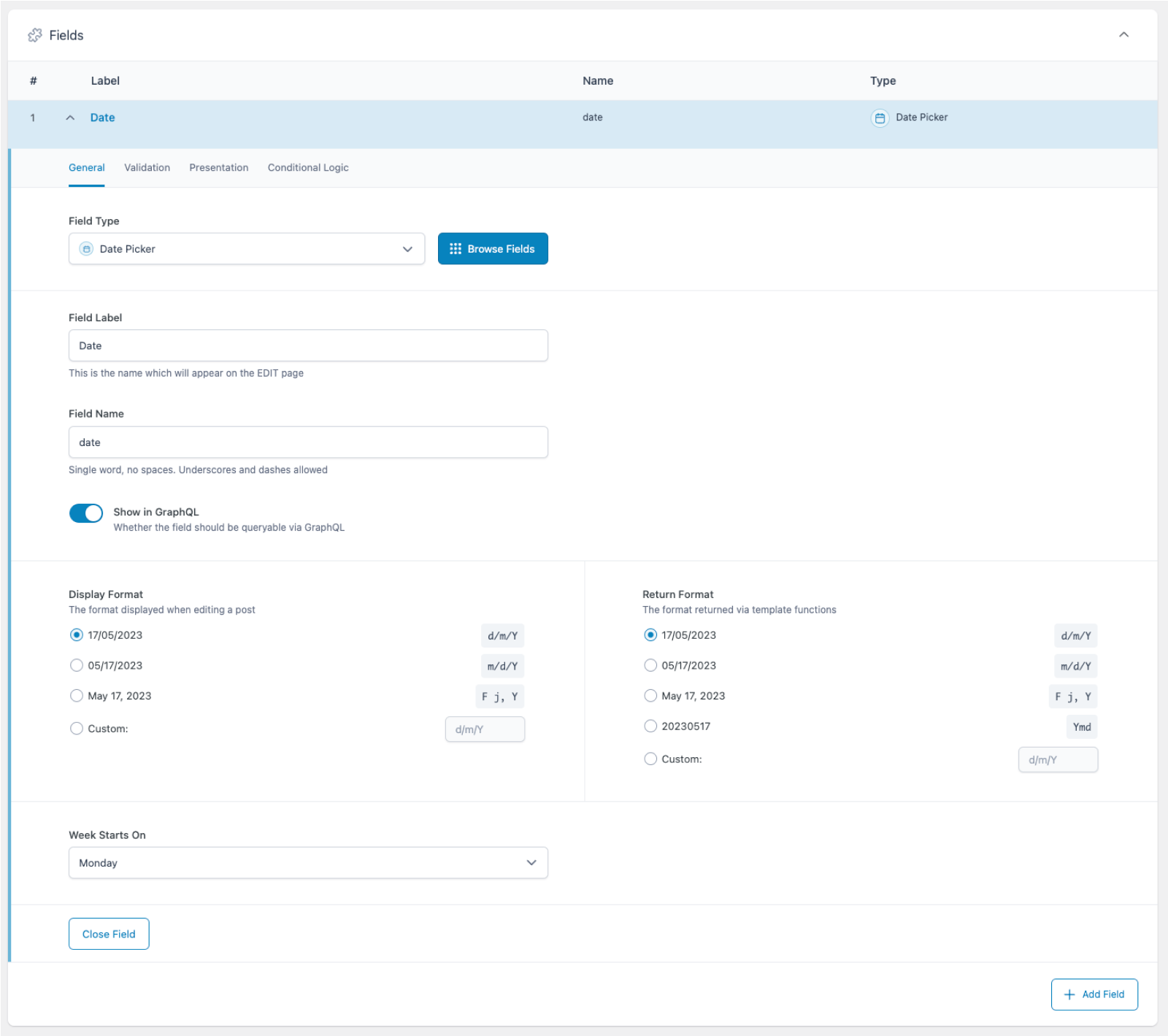
Creating a Date Picker Field in an ACF field group.
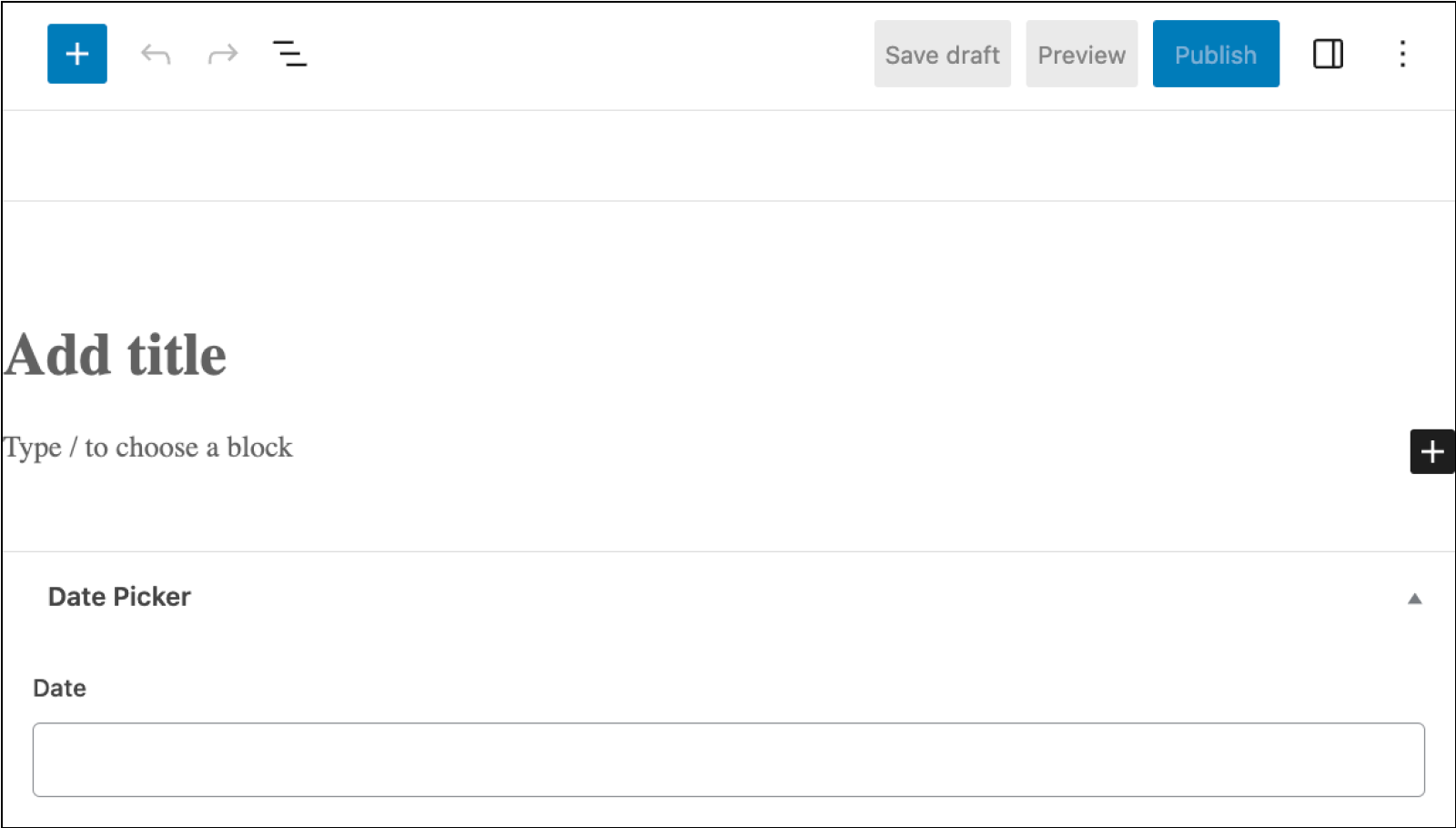
The Date Picker field from the point of view of a content editor.
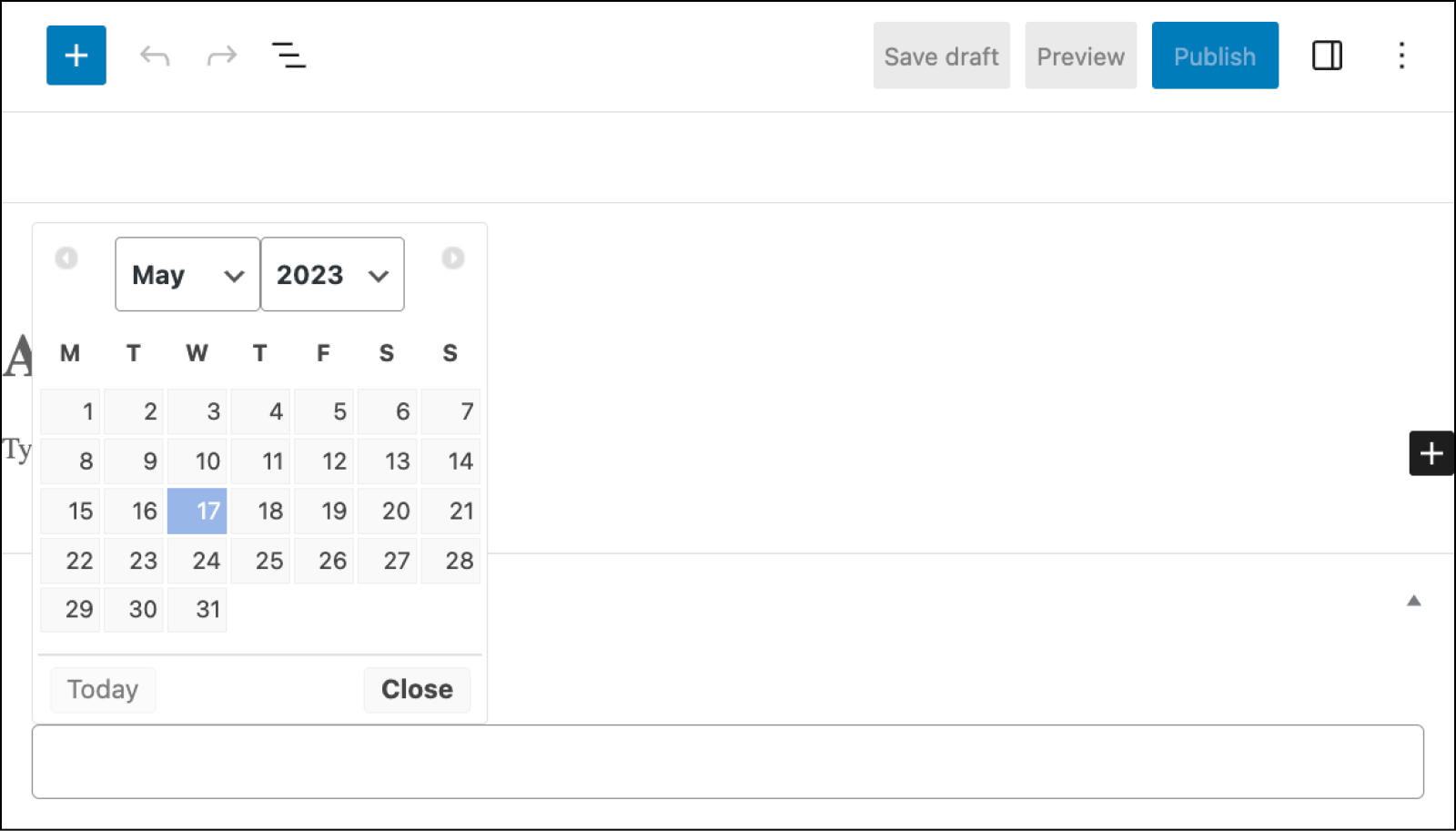
Clicking on the field opens a calendar, allowing the content editor to easily choose the correct date.
Settings
Display Format
The date format that is displayed when selecting a date.Return Format
The date format that is returned when loading the value. Please note that the value is always saved asYmd(YYYYMMDD) in the database.Week Starts On
Specifies the day to start the week on. Defaults to Monday.Required
Found on the Validation tab, this prevents the field from accepting empty values. Defaults to off.Instructions
Shows instructions when submitting data.
Template usage
The Date Picker field returns a date string using the Return Format setting.
Display value
This example demonstrates how to display a date value.
<p>Event Date: <?php echo esc_html ( get_field( 'date' ) ); ?></p>
Modify value
This example demonstrates how to convert a string date value into a DateTime object.
<?php

// Load field value.
$date_string = get_field( 'date' );

// Create DateTime object from value (formats must match).
$date = DateTime::createFromFormat( 'Ymd', $date_string );

// Output current date in custom format.
?>
<p>Event start date: <?php echo $date->format( 'j M Y' ); ?></p>
<?php

// Increase by 1 day and output again.
$date->modify( '+1 day' );
?>
<p>Event end date: <?php echo $date->format( 'j M Y' ); ?></p>
Query posts sorted in order
This example demonstrates how you can query posts sorted in order of a custom field value.
<?php

$posts = get_posts( array(
    'post_type' => 'event',
    'meta_key'  => 'date',
    'orderby'   => 'meta_value_num',
    'order'     => 'ASC',
));

if( $posts ) {
    foreach( $posts as $post ) {
        // Do something.
    }
}
Query posts within date range
This example demonstrates how you can query posts to find events happening today.
<?php

// Find today’s date in Ymd format.
$today = date( 'Ymd' );

// Query posts using a meta_query to compare two custom fields: start_date and end_date.
$posts = get_posts( array(
    'post_type' => 'event',
    'meta_query' => array(
        array(
            'key'     => 'start_date',
            'compare' => '>=',
            'value'   => $today,
        ),
         array(
            'key'     => 'end_date',
            'compare' => '<=',
            'value'   => $today,
        )
    ),
));

if( $posts ) {
    foreach( $posts as $post ) {
        // Do something.
    }
}
Notes
Database format
The value selected can be returned and displayed in different formats but will be saved to the database as ‘Ymd’. If you are updating this value manually, you must use the Ymd format. This format is used throughout the WordPress database tables and will allow for straight-foward database querying.
Date format strings
To customize the Display Format and Return Format settings further, refer to the full list of date format strings within the DateTime::createFromFormat() documentation.
Date formats in JavaScript
Some JavaScript libraries might format PHP date strings differently. For example, the following date function in PHP:
echo date( 'F j, Y @ g:i a' );
Will output something like:
November 19, 2021 @ 1:49 pm
However, if you pass this value to something like the jQuery UI DatePicker Widget, it will see the @ as a special character to be formatted with the Unix timestamp, which is not ideal.
Use the acf/settings/php_to_js_date_formats filter to fix this, as it will convert any instance of the @ symbol to '@'. This will ensure it’s treated as a string in JavaScript instead of a character to be replaced.
add_filter( 'acf/settings/php_to_js_date_formats', 'support_at_symbol_in_date_format', 10, 1 );
function support_at_symbol_in_date_format( $formats ) {
    $formats['@'] = "'@'";
    return $formats;
}
Translations
If you require the date to be displayed in a non-English language, WordPress contains a function called date_i18n() which will perform the translation for you.
<?php

// Load field value and convert to numeric timestamp.
$unixtimestamp = strtotime( get_field( 'date' ) );

// Display date in the format "l d F, Y".
echo date_i18n( "l d F, Y", $unixtimestamp );