
Advanced Custom Fields version 6.8 is now available! 🚀🎉
This release brings three powerful features: WordPress Abilities API integration, automatic Schema.org structured data, and new WP-CLI commands for managing ACF JSON.
These features work together to make your ACF content discoverable, interoperable, and ready for the next generation of AI tools and search experiences, with improved developer workflows to match.
WordPress Abilities API Integration
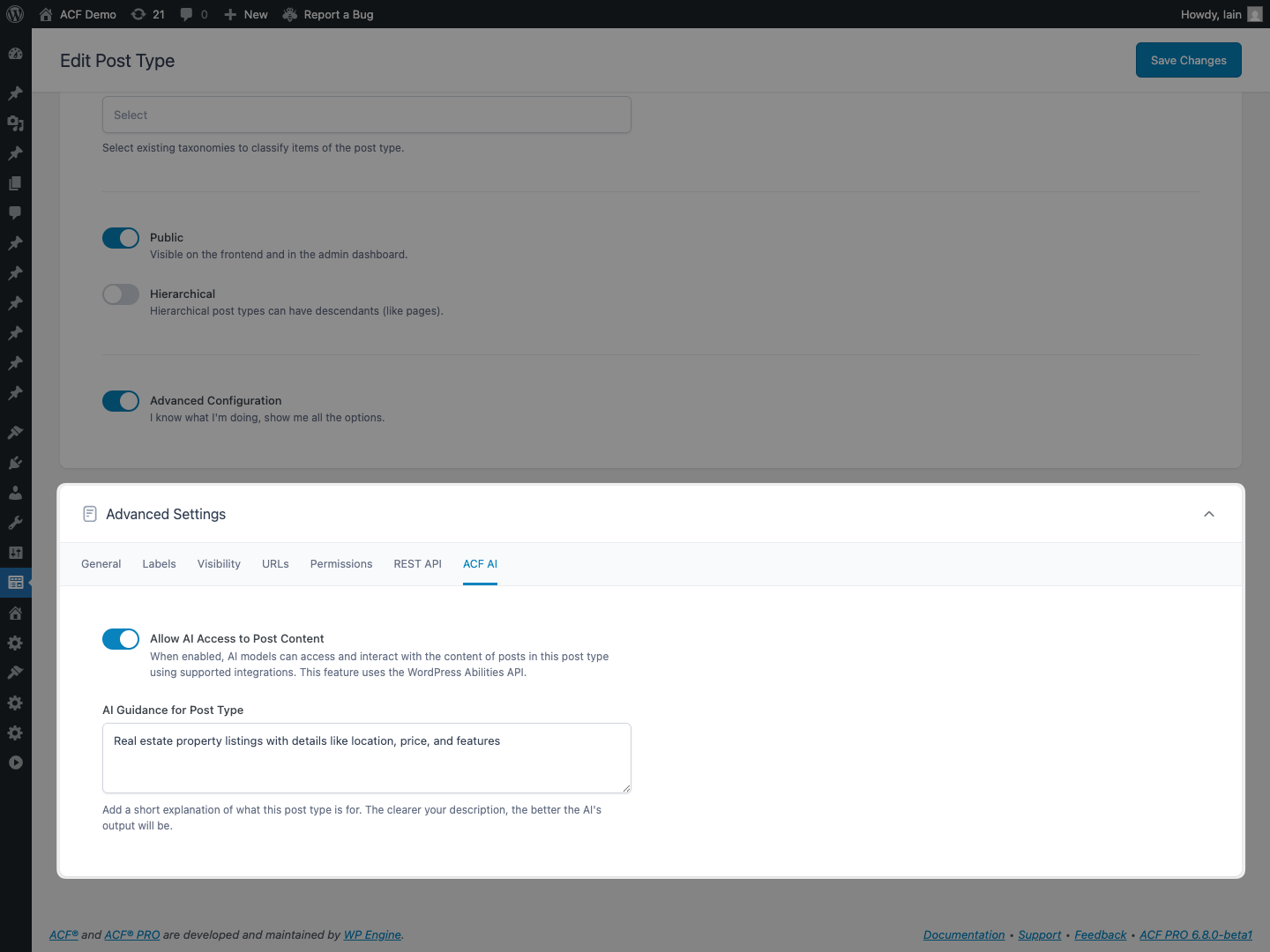
ACF 6.8 introduces support for WordPress 6.9’s new Abilities API, enabling AI tools and automation platforms to interact with your ACF data through a standardized, secure interface.
Compatible tools (AI assistants like Claude, automation services, and MCP-enabled applications) can now:
- Build your content model: Register custom post types, taxonomies, and field groups from natural language descriptions
- Discover existing structures: Inspect your field groups, post types, and taxonomies
- Create and manage content: Import structured data with field validation, update values across multiple posts
Available Abilities
| Category | Capabilities |
|---|---|
| Field Groups | List and create field groups with field definitions |
| Custom Post Types | Register post types; manage posts and field values |
| Custom Taxonomies | Register taxonomies; manage terms and field values |
Use Cases
AI-Assisted Content Modeling
“Create a field group for a Recipe post type with fields for ingredients, cooking time, difficulty level, and instructions.”
Programmatic Content Import
“Import this CSV of products into the Products post type, mapping columns to ACF fields.”
Rapid Prototyping
“Set up a real estate site with property listings, agents, and neighborhood taxonomies.”
See It In Action
Watch a live demo of the Abilities API in our ACF Chat Fridays session:
Quick Start
Enable the Abilities API by adding this filter to your theme’s functions.php:
add_filter( 'acf/settings/enable_acf_ai', '__return_true' );
Then configure AI access for your field groups, post types, and taxonomies in their respective settings screens. Existing items require manual opt-in; new items have AI access enabled by default.
Read the full Abilities API documentation →
Automatic Structured Data with Schema.org
ACF PRO 6.8 can now automatically generate Schema.org structured data from your custom fields, making your content discoverable by search engines, AI systems, and answer engines.
With the rise of AI-powered search experiences like Google AI Overviews, ChatGPT, Claude, and Copilot, having Schema.org-compliant structured data is increasingly important for content discovery.
ACF 6.8 supports Schema.org’s complete vocabulary: 867 types and 1,509 properties.
This feature is marked as experimental in the UI. The field of generative engine optimization (GEO) is evolving rapidly, and we’re actively monitoring how AI systems interpret and surface structured data. We’d love your feedback as you experiment with this feature.
How It Works
- Enable the Schema feature at the site level
- Configure your Post Type with a Schema.org type (e.g., Recipe, Product, Event)
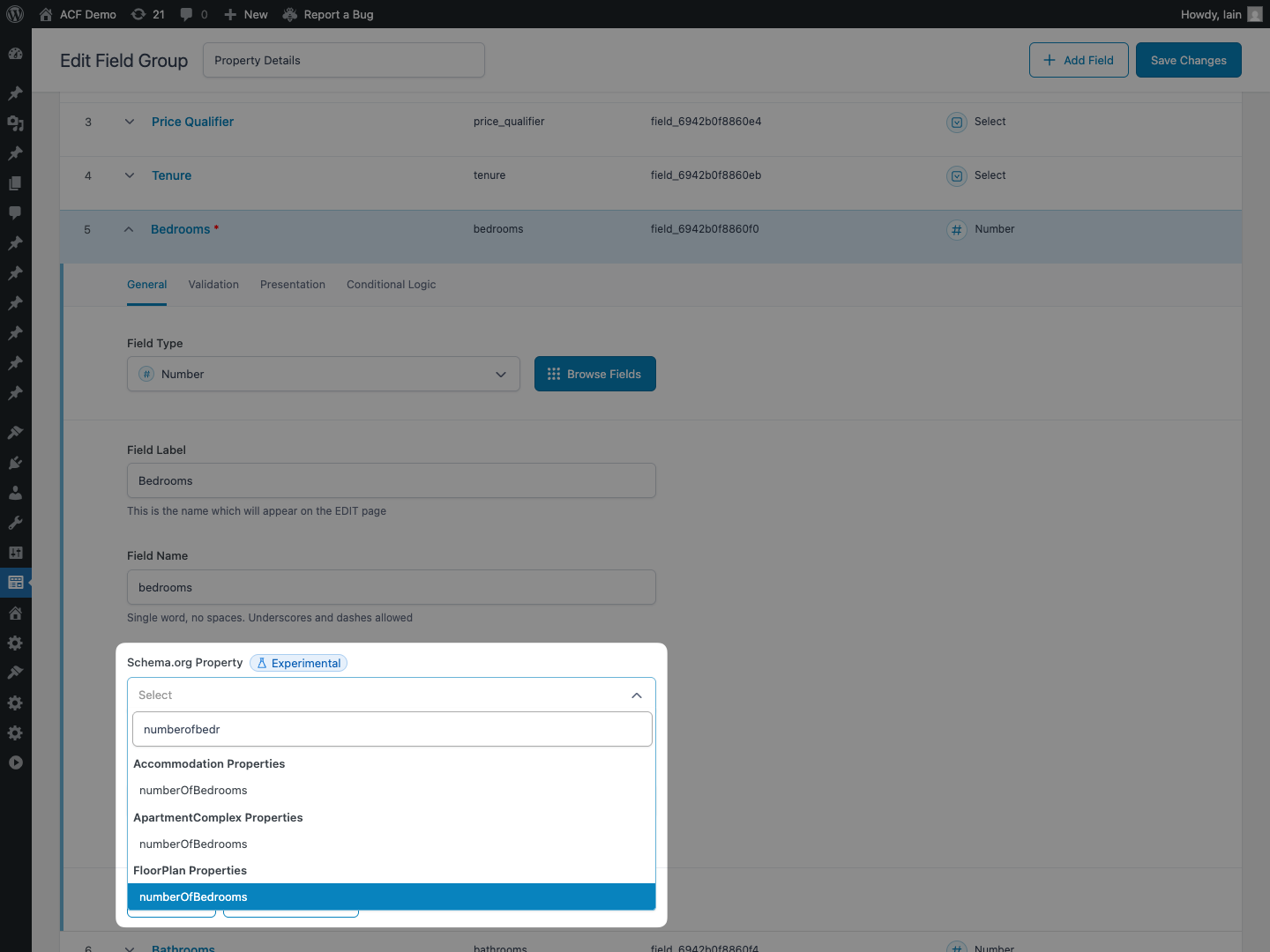
- Map your fields to Schema.org properties in the field settings
- ACF automatically generates and outputs structured data on the frontend
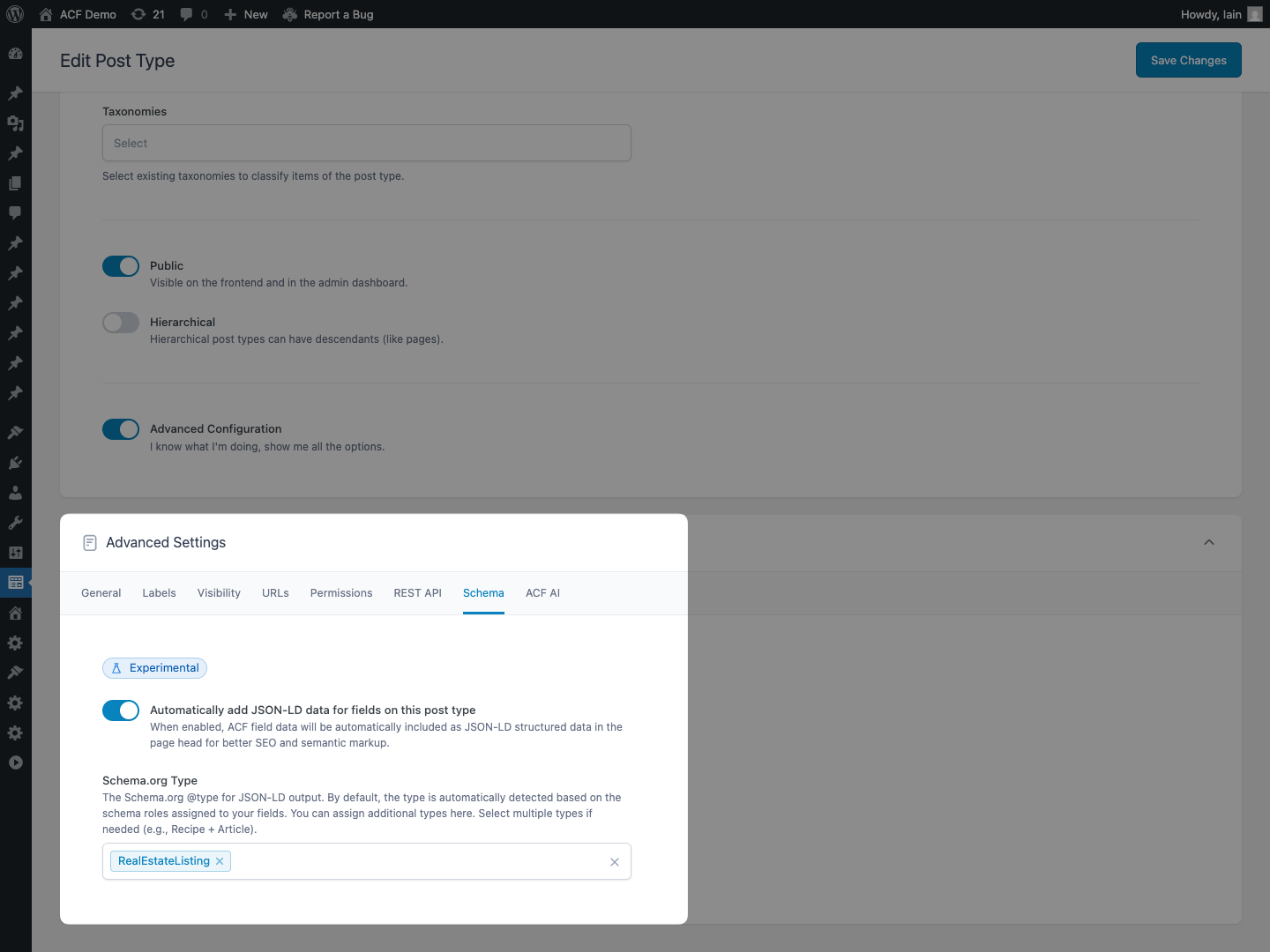
Smart Features
- Automatic type inference: ACF detects appropriate Schema types from your field mappings
- Intelligent formatting: Dates convert to ISO 8601; images become ImageObjects; users become Person schemas
- Repeater support: Sub-fields can have individual Schema Property mappings for complex structures
- ACF Blocks support: Configure via
block.jsonwithschemaTypeandautoJsonLdproperties - Automatic metadata: Author, featured image, publication dates, and URLs are included automatically
Quick Start
Enable structured data output by adding this filter to your theme’s functions.php:
add_filter( 'acf/settings/enable_schema', '__return_true' );
Then configure your Post Types with Schema.org types and map your fields to Schema.org properties.
Read the full structured data documentation →
Example Output
For a Recipe post type with mapped fields, ACF automatically generates:
{
  "@context": "https://schema.org",
  "@type": "Recipe",
  "name": "Chocolate Chip Cookies",
  "prepTime": "PT15M",
  "cookTime": "PT12M",
  "recipeIngredient": ["2 cups flour", "1 cup sugar", "1 cup chocolate chips"],
  "author": {
    "@type": "Person",
    "name": "Jane Baker"
  }
}
WP-CLI Commands
ACF PRO 6.8 introduces new WP-CLI commands for managing ACF JSON synchronization from the command line, perfect for CI/CD pipelines and deployment workflows.
Available Commands
| Command | Description |
|---|---|
wp acf json status |
Show sync status for field groups, post types, taxonomies, and options pages |
wp acf json sync |
Synchronize JSON files to the database |
wp acf json import |
Import JSON files into the database |
wp acf json export |
Export items to JSON files |
Example: Deployment Workflow
# Check what needs syncing after a deploy
wp acf json status

# Sync all pending changes
wp acf json sync

# Or sync specific types
wp acf json sync --type=field-group

# Preview changes before importing
wp acf json import --dry-run
Read the full WP-CLI documentation →
And More
This release also includes numerous enhancements to ACF Blocks V3, including improved Expanded Editor controls, better inline editing support, and various bug fixes. See the full changelog below for details.
For a full list of all the changes in this release, check out the ACF 6.8 changelog.
What’s Next?
We’re continuing to invest in making ACF the best content modeling tool for WordPress. We’re focusing on speeding up ACF workflows with AI, improving inline editing for complex field types, and making ACF Blocks more portable and reusable.
If you want to be the first to hear about pre-release versions of these new features for testing, sign up to our beta news email list.
If there’s features or improvements you’d love to see in ACF, please drop them into our feedback board and vote on others that are important to you.
Keep up to date with what we’re working on in our monthly ACF Chat Fridays office hours.
Thanks to everyone in the ACF community who helped make this release possible! 🙌
Are you excited about the new features and improvements in ACF 6.8? Let us know in the comments below or on X.


For plugin support, please contact our support team directly, as comments aren't actively monitored.