
Building a multilingual WordPress website with Advanced Custom Fields (ACF) opens up a lot of possibilities. You can create custom content structures, design unique content layouts, and craft experiences that perfectly match your brand’s needs.
But here’s the challenge: when you’re using ACF to power complex, dynamic content across multiple languages, manual translation becomes a bottleneck.
You need a solution that understands ACF’s structure, respects your field configurations, and translates your content intelligently – without breaking your carefully crafted layouts.
Gato AI Translations for Polylang is that solution.
It integrates directly with ACF, automatically translating your custom fields and ACF content using advanced AI translation services. Whether you’re using simple text fields or complex Repeater and Flexible Content fields, the plugin handles it all seamlessly.
The best part? You stay in control.
Configure which fields to translate and which to sync, review translations before publishing, and leverage the power of modern AI translation services like ChatGPT, Claude, Gemini and DeepSeek – all while working within the familiar WordPress and ACF interfaces you already know.
Why Translate Your WordPress Website?
To effectively reach and engage with a diverse, global audience, you need to speak their language. Translating your website unlocks several key benefits:
- Reach more people: Break down language barriers and expand your potential audience by making your content accessible in multiple languages.
- Better user experience: Visitors are more likely to engage with and trust content in their native language, improving their overall experience on your site.
- Stronger SEO: Multilingual websites perform better in search engines across different regions, increasing your global visibility and organic traffic.
Translating ACF Content With Gato AI Translations for Polylang
Gato AI Translations for Polylang works seamlessly with both ACF and ACF PRO to translate your ACF content and turn your site multilingual. The plugin integrates directly with ACF, adding translation options to the field group editor.
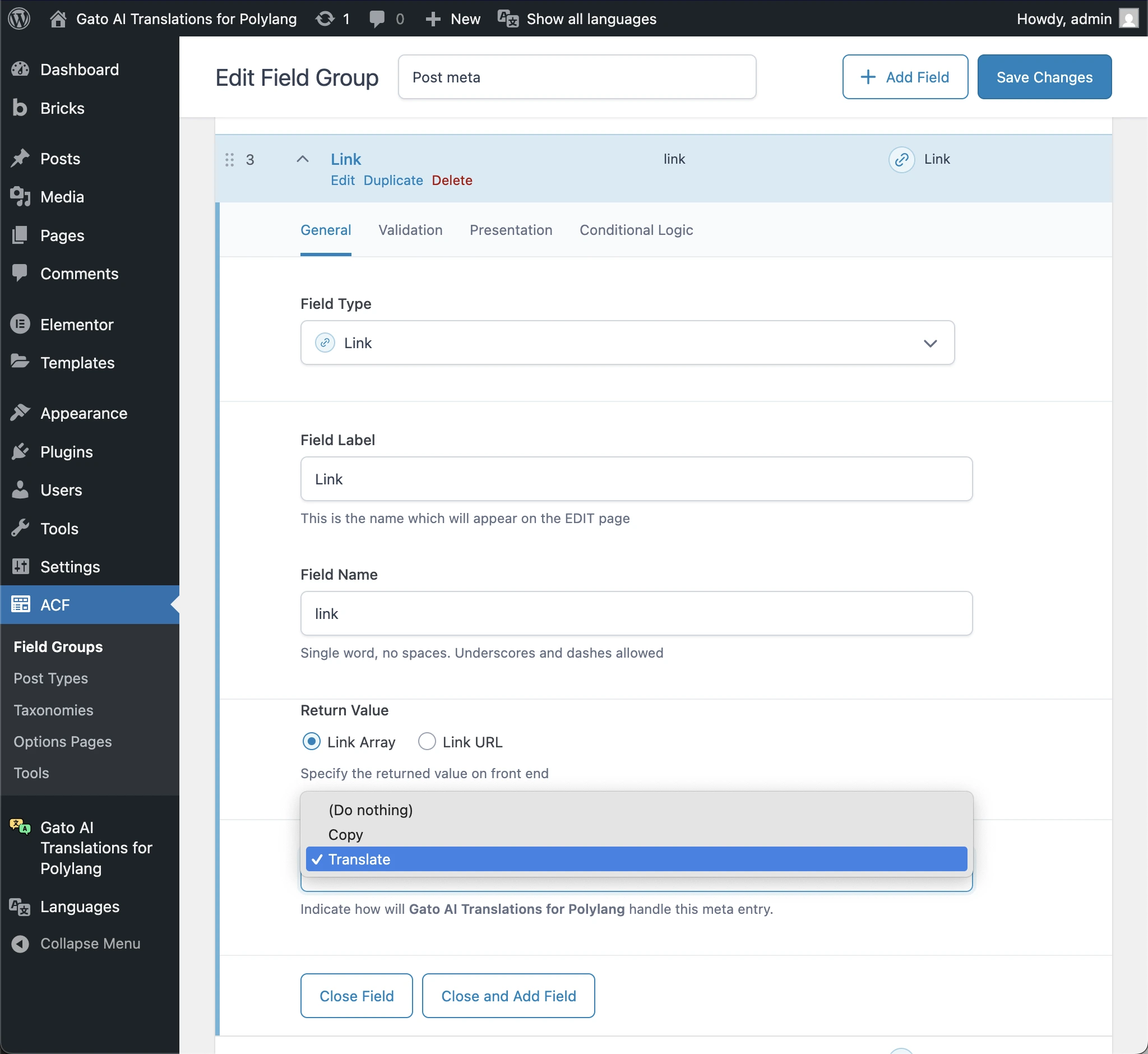
The plugin provides you with the flexibility to configure translation settings for each field group. You can choose which fields to sync (copy directly) or translate, giving you complete control over how your ACF content is handled across languages.
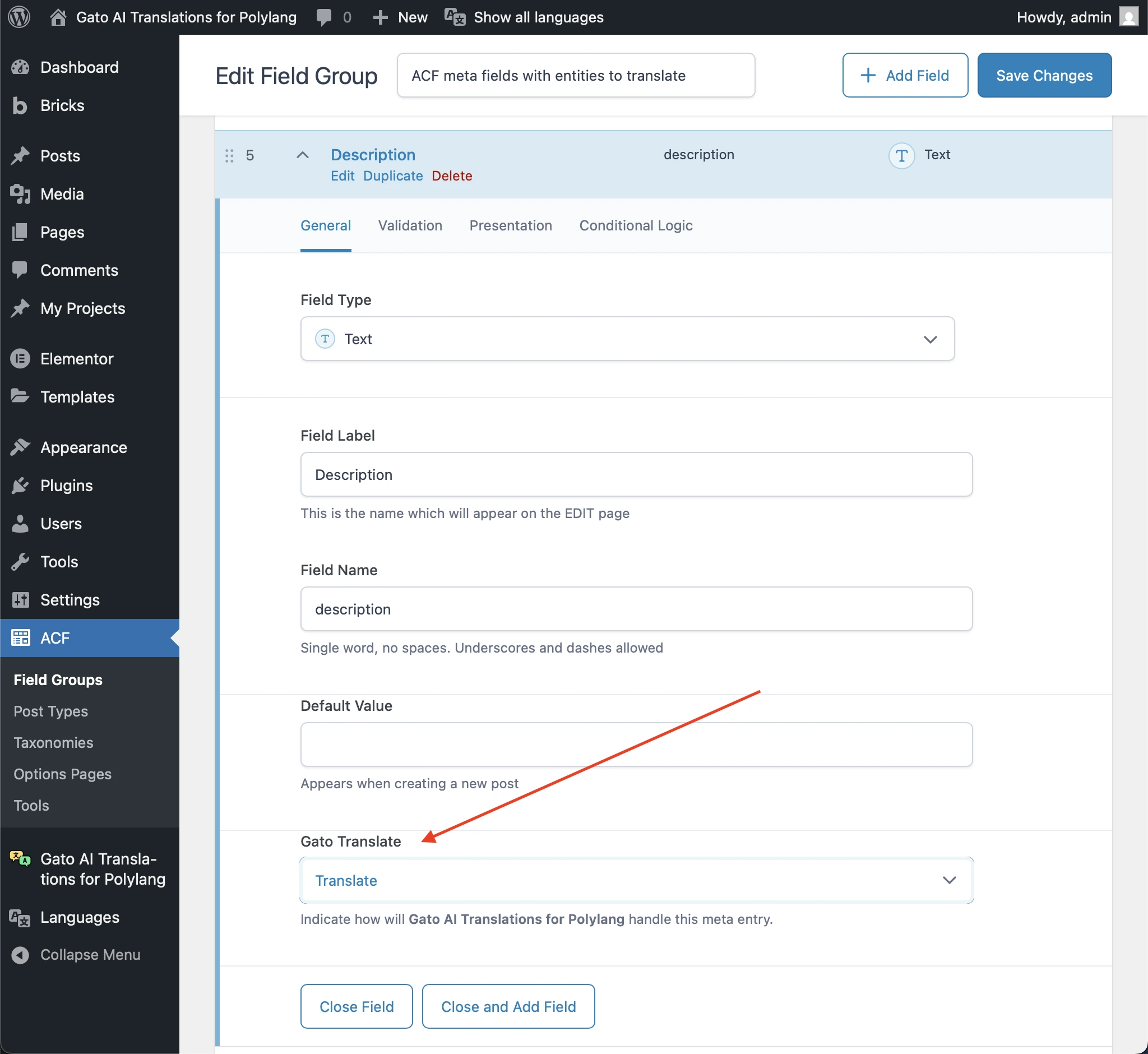
The plugin adds a Gato Translate input to the ACF Field Groups, allowing you to configure what fields to sync or translate. This means you can:
- Sync fields: Copy field values directly from the origin language to translations (useful for images, file uploads, or other non-textual content).
- Translate fields: Automatically translate text-based fields using AI-powered translation services.
- Translate entity references: When using ACF fields like Post Object, Page Link, or Relationship, the plugin automatically replaces the referenced post ID with the corresponding translated post ID in the target language.
- Mix and match: Use sync for some fields and translation for others, all within the same field group. This flexibility also applies to complex field types like Repeater and Flexible Content fields, where you can configure different translation settings for each sub-field.
How Automatic Translation Works
Gato AI Translations for Polylang makes it easier to manage a multilingual WordPress site with automatic translation capabilities. The plugin supports multiple translation modes:
- Automatic translation on publish: Translates your entire site (including ACF field content) automatically when you publish content.
- Bulk translation: Select multiple posts, pages, or custom post types and translate them all at once via Bulk Actions.
- Manual translation: Trigger translations on-demand for specific content.
You can choose from a variety of translation providers to power your automatic translations:
- AI-powered services: ChatGPT, Claude, DeepSeek, Mistral AI, and OpenRouter (which gives you access to the latest models as soon as they’re released)
- Dedicated translation services: DeepL and Google Translate
The plugin sends all strings together in a single request (up to the API’s limits), helping the translation service produce the best-possible results by understanding the full context. After the AI has done its magic, you can review the translations directly in the WordPress editor to ensure they sound natural before publishing.
How to Automatically Translate Your ACF-Powered Site
There are just a few simple steps to setting up Gato AI Translations for Polylang to automatically translate all ACF content.
Make sure you have the following plugins installed on your site:
- ACF PRO (or ACF free version)
- Polylang (for managing multilingual content)
- Gato AI Translations for Polylang
To illustrate how the plugin automatically translates ACF content, let’s set up a test site with a field group called Post meta that’s added to all posts.
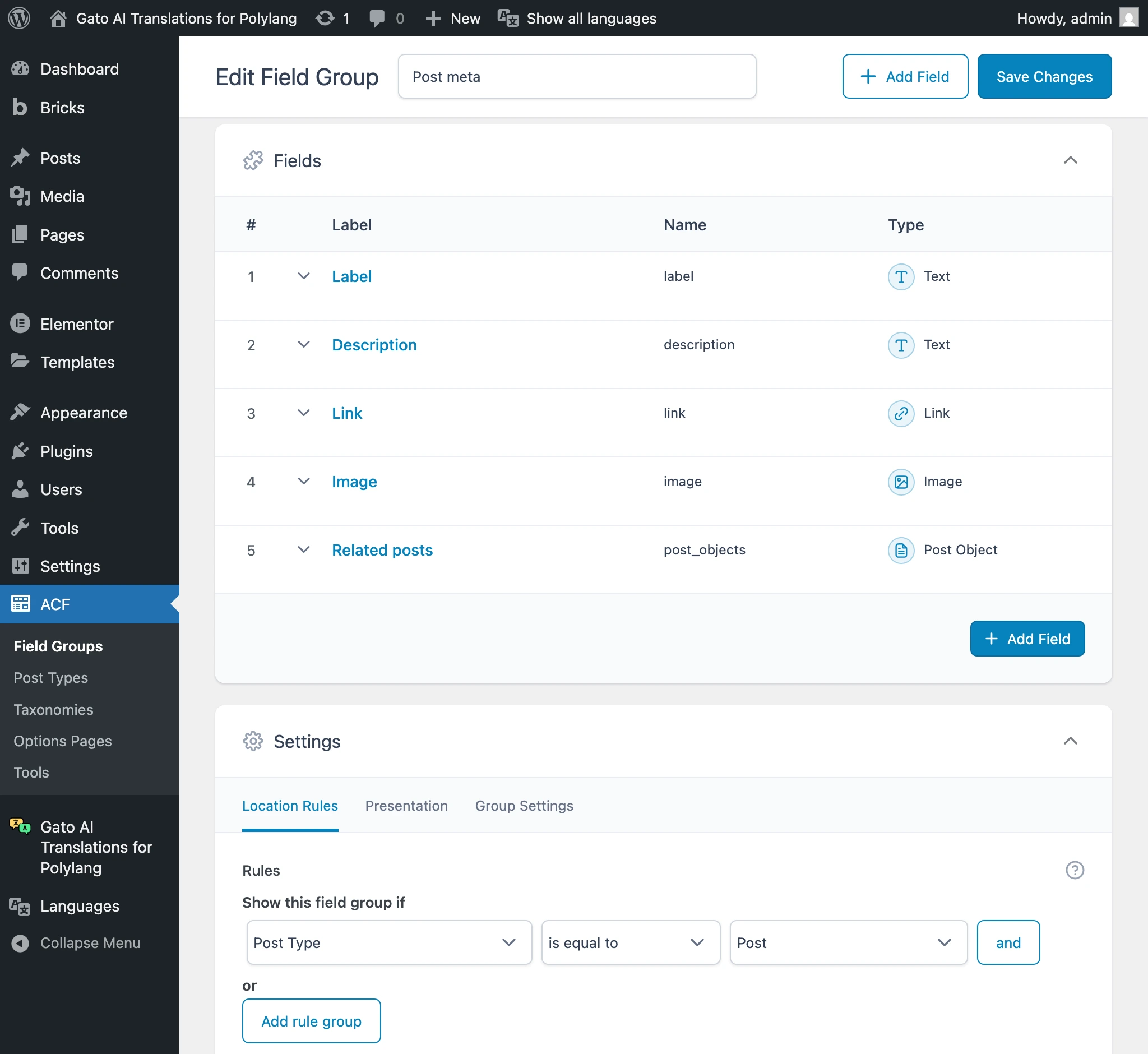
This field group has the following fields:
- Label, of type Text
- Description, of type Text
- Link, of type Link
- Image, of type Image
- Related posts, of type Post Object
We then create a post in the origin language (in this case, English), and populate all the ACF fields with content.
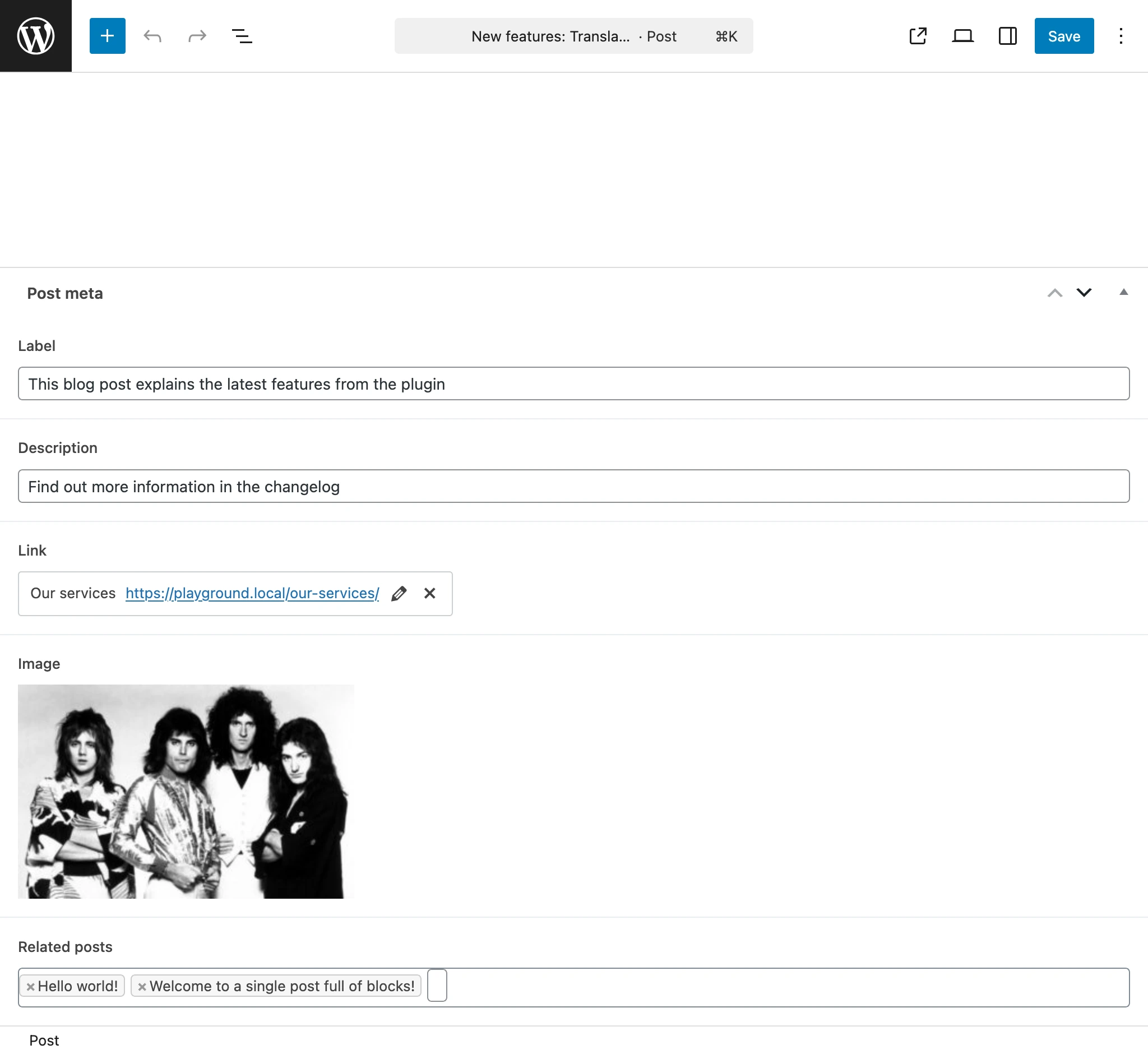
Let’s get started with the step-by-step guide on how to translate the content automatically.
Step 1: Configure Polylang
First, set up Polylang to manage your multilingual content. Go to Polylang’s Languages menu page, and add the language(s) you want to translate your content to.
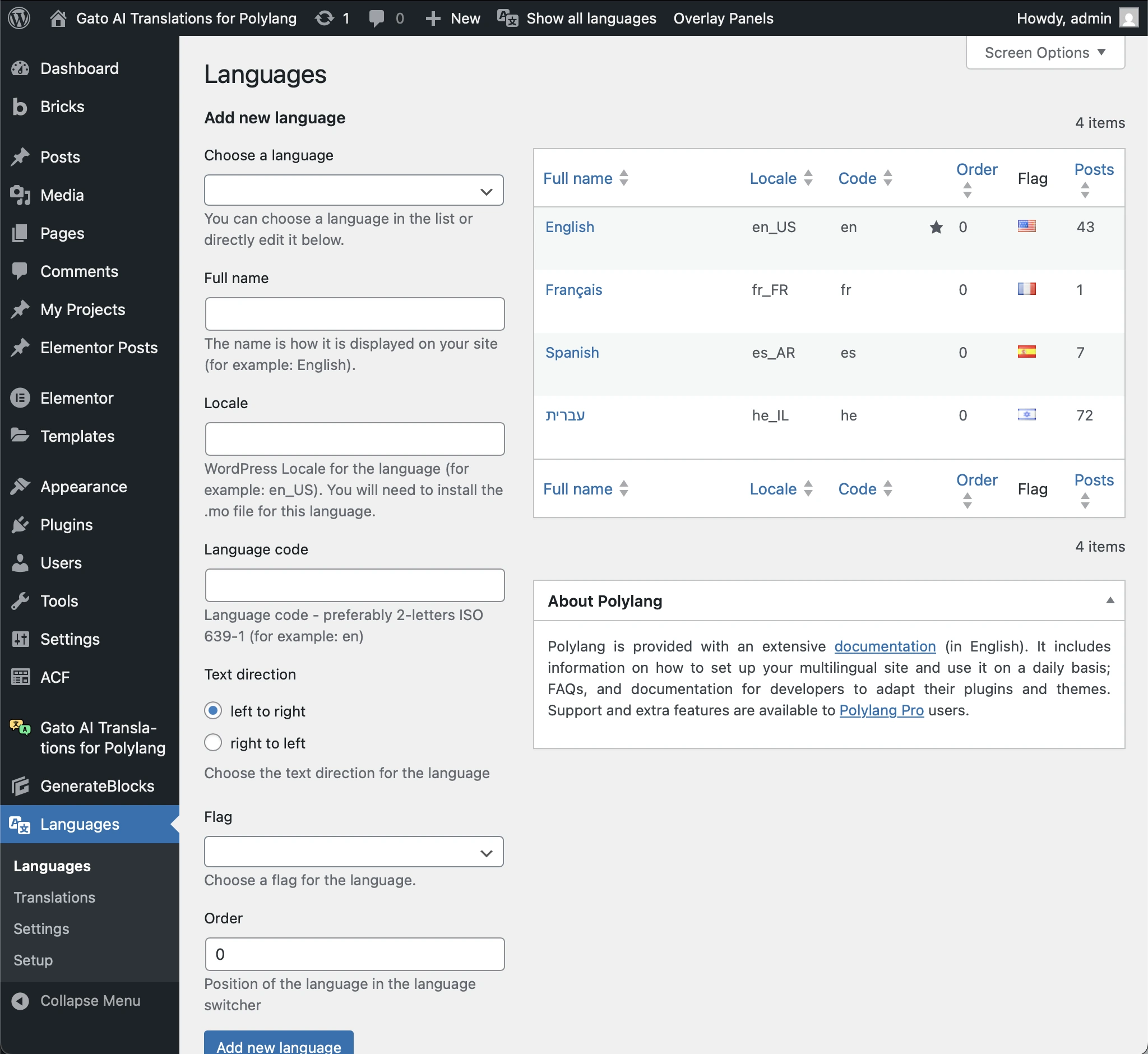
Step 2: Configure Gato AI Translations for Polylang
Navigate to Gato Translate > Settings and configure your translation provider. You’ll need to provide API keys for your chosen translation service (ChatGPT, Claude, DeepL, Google Translate, etc.).
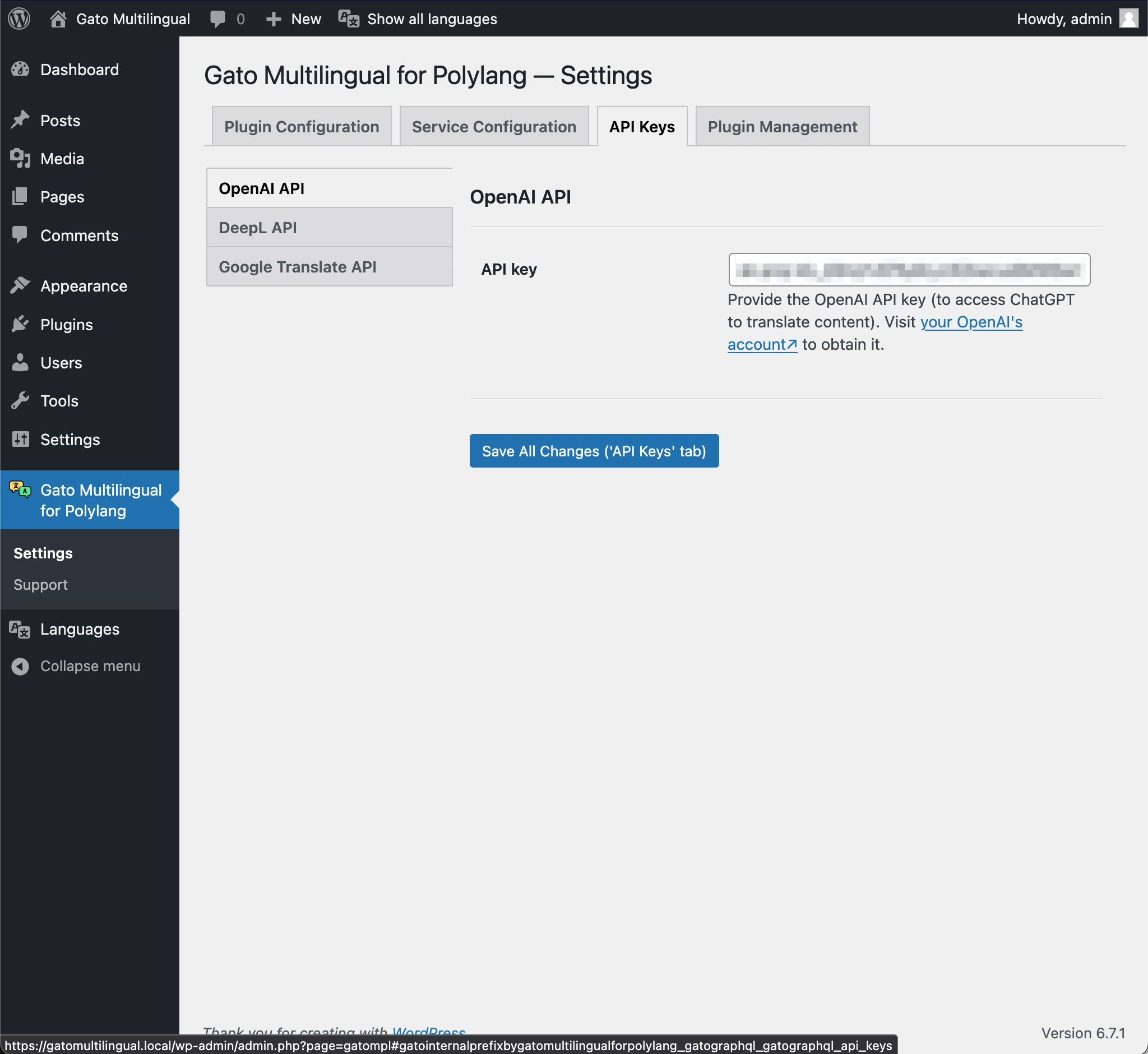
Step 3: Set the Translation Option for Your ACF Field Group
Navigate to ACF → Field Groups and edit the field group associated with your content. You’ll see a new Gato Translate section that allows you to configure translation settings for each field.
For our Post meta example:
- Label field: Set to Translate (labels should be translated)
- Description field: Set to Translate (descriptions need full translation)
- Link field: Set to Translate (internal URLs will be automatically replaced with their corresponding URLs in the target language)
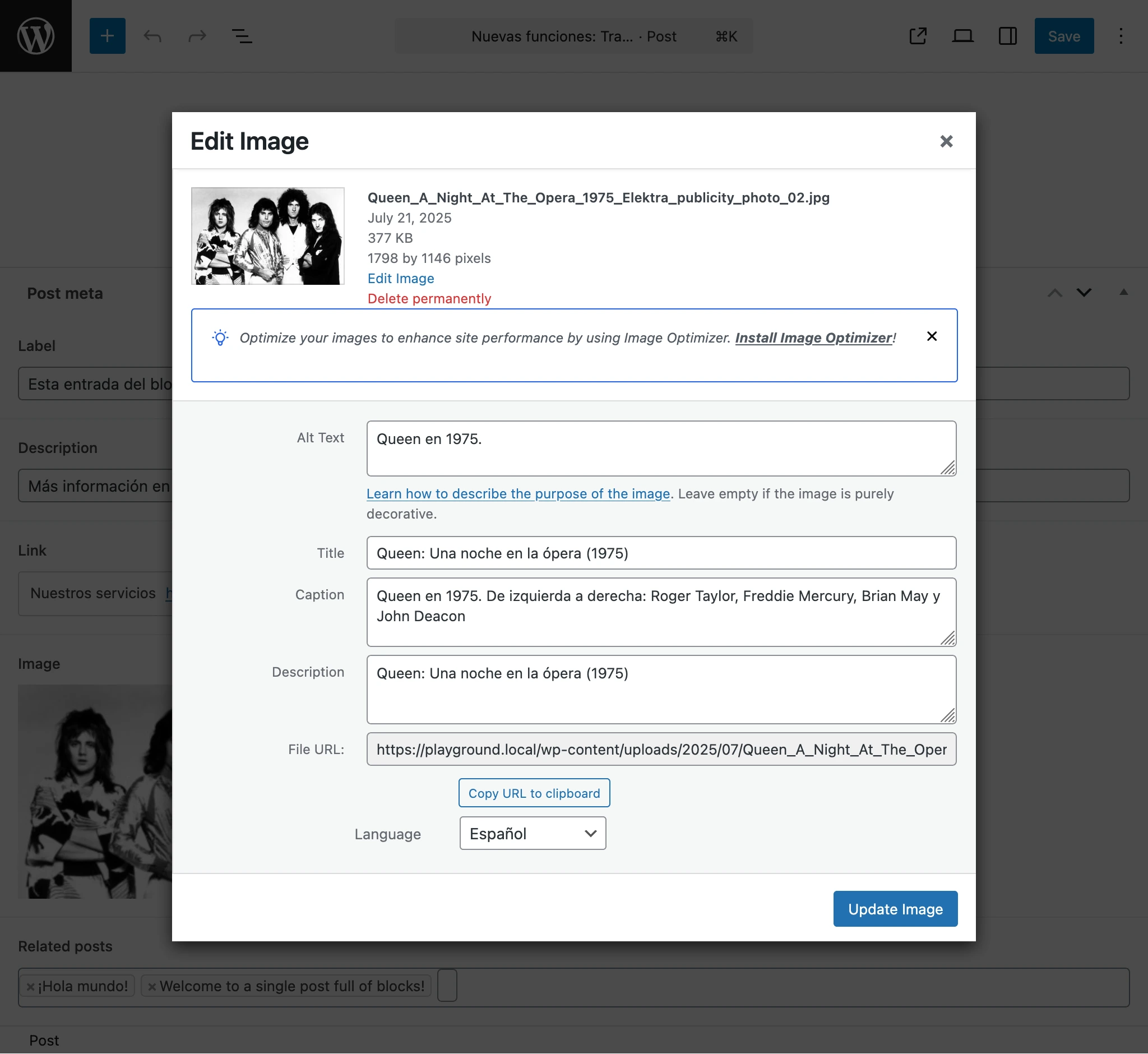
- Image field: Set to Translate entity references (to point to the corresponding image in the target language, with its title, alt text, and caption translated)
- Related posts field: Set to Translate entity references (to point to the corresponding posts in the target language)
Step 4: Execute the Translation
Now that your ACF field group is configured, you can translate your content. Go to your Posts list page, select the posts you want to translate, and choose Gato Translate from the Bulk Actions dropdown, then click Apply.
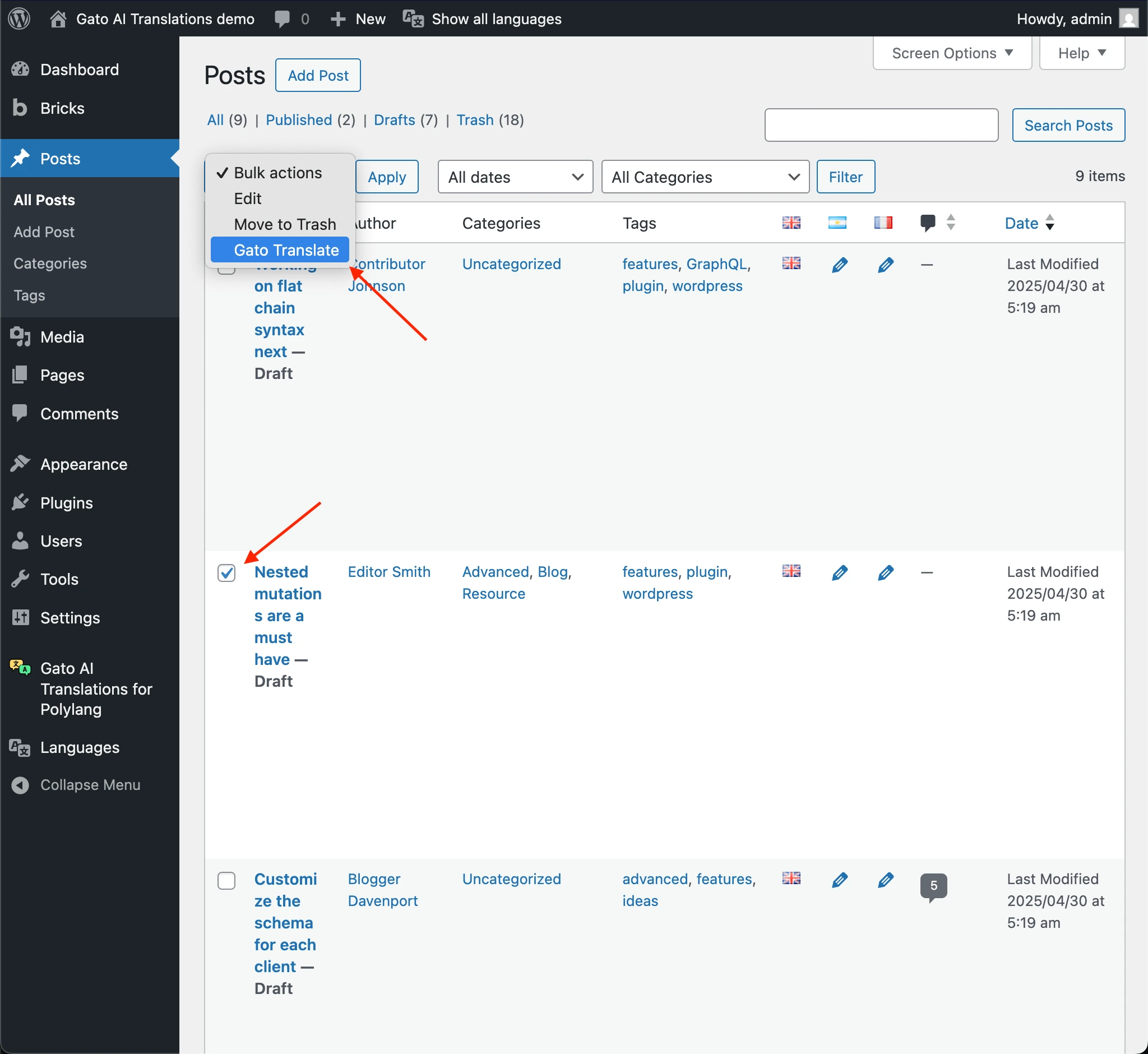
The plugin will automatically translate your selected posts to all configured languages, respecting the sync/translate settings you configured for each ACF field.
Step 5: You’re Done! Take a Look at Your Translated Content
Your post will now be translated in all configured languages, with labels, descriptions, and links automatically translated, images referencing the corresponding translated images, and related posts referencing the corresponding translated posts.
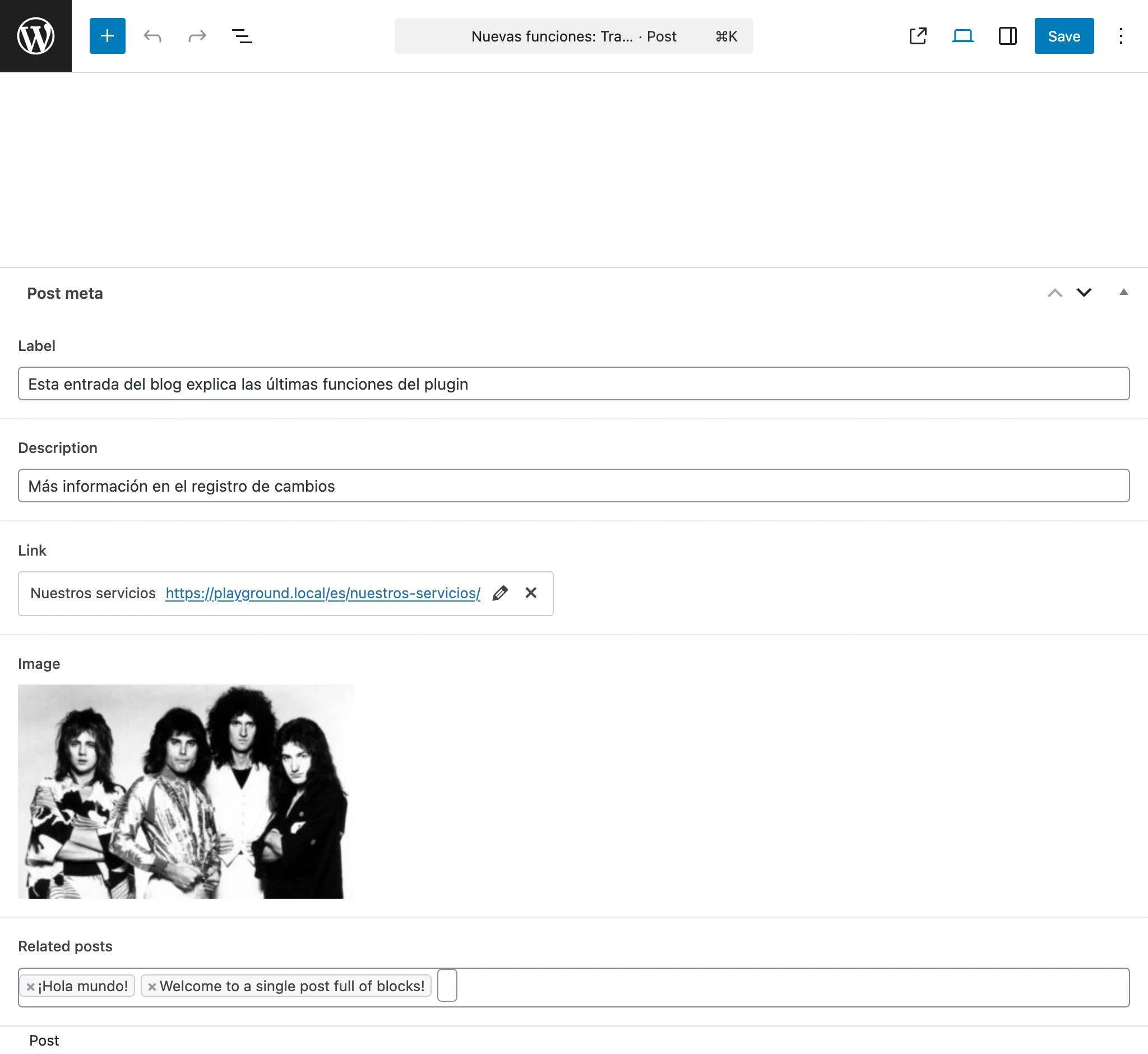
Click on the media item to see its title, alt text, and caption all properly translated.
Final Thoughts
ACF PRO and Gato AI Translations for Polylang work together to help you create a truly multilingual website. ACF gives you the flexibility to design custom content that fits your needs, while Gato AI Translations automatically handles the translation process using AI-powered services.
The plugin’s automatic translations save you time and effort, allowing you to focus on creating quality content rather than manually translating everything yourself. Together, these tools make it easier than ever to build and maintain a multilingual WordPress website.


For plugin support, please contact our support team directly, as comments aren't actively monitored.