
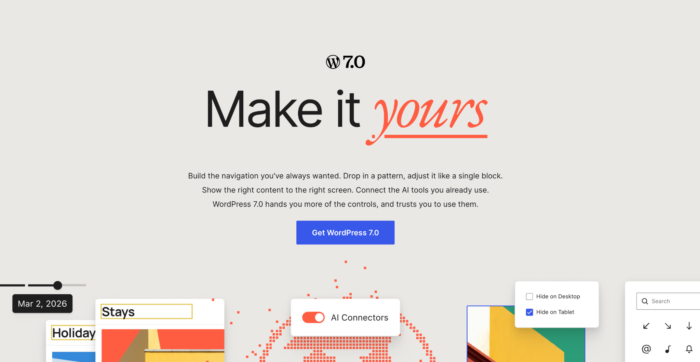
On May 20, 2026, WordPressⓇ released WordPress 7.0, Armstrong—a milestone release focused heavily on AI infrastructure, modernized admin experiences, advanced block architecture, and next-generation developer tooling. 🚀
With more than 419 Core Trac tickets, 76+ enhancements, 300+ bug fixes, and hundreds of Editor and AI-related improvements, WordPress 7.0 introduces foundational changes that will directly impact developers working with ACF PRO.
This release is particularly important because it marks the beginning of native AI capabilities inside WordPress Core. In addition to AI infrastructure, WordPress 7.0 expands the Abilities API, modernizes the dashboard and editing experience, introduces PHP-only block registration, improves DataViews and DataForms, and delivers major updates to the Interactivity API and Block Bindings API.
For ACF PRO developers, these updates create new opportunities for:
- AI-assisted field workflows
- More powerful admin interfaces
- Better dynamic block development
- Richer responsive editing experiences
- Deeper integrations with WordPress Core data systems
- More scalable custom content architectures
ACF PRO remains fully compatible with WordPress 7.0, and many of the changes introduced in this release align closely with the future direction of modern ACF development.
Supercharge Your Website With Premium Features Using ACF PRO
Speed up your workflow and unlock features to better develop websites using ACF Blocks and Options Pages, with the Flexible Content, Repeater, Clone, Gallery Fields & More.
The WP AI Client & Abilities API
The biggest developer-focused addition in WordPress 7.0 is the introduction of native AI infrastructure directly into Core.
At the center of this new ecosystem is the WP AI Client, a provider-agnostic AI framework that allows plugins and themes to communicate with AI models through standardized APIs.
WordPress now includes:
- A centralized AI client architecture
- Built-in provider management
- AI model preference handling
- Ability orchestration
- AI connector registration
- Client-side AI abilities
- Command-based AI workflows
Combined with the expanded Abilities API, WordPress is laying the foundation for fully AI-aware websites.
Why this matters for ACF PRO
For ACF PRO developers, this is one of the most important architectural shifts WordPress has introduced in years.
ACF already manages highly structured content through Field Groups, Flexible Content layouts, Repeaters, Relationships, Custom Post Types, Taxonomies, and Options Pages.
The WP AI Client and Abilities API create a standardized way for AI systems to understand and interact with that structured content.
ACF’s AI Direction
ACF 6.8 already laid the groundwork that complements these AI developments.
The new Datastore integration exposes ACF field values through WordPress’s wp.data store and REST API—the same infrastructure the WP AI Client will use to access site content.
If you’re building AI-powered features that need structured content, ACF fields are now first-class citizens in that data layer.
Looking ahead, we’re exploring how AI can enhance ACF workflows directly, for both developers and content editors.
AI-powered field workflows
The new AI infrastructure in WordPress 7.0 opens the door for far more than simple AI-generated text.
Instead of treating AI as a disconnected chatbot or external integration, WordPress is now building native systems that allow AI tools to interact directly with structured content architectures like ACF.
Importantly, ACF has already been preparing for this shift.
With ACF 6.8, we introduced integration with WordPress’s new Abilities API, allowing AI tools and automation platforms to securely discover and interact with ACF-powered content structures through a standardized interface. Compatible AI systems can already inspect field groups, work with custom post types and taxonomies, import structured content, validate field data, and help generate content models programmatically.
That means the AI infrastructure introduced in WordPress 7.0 is not theoretical for ACF users — the foundations are already in place.
For example, imagine an ACF-powered real estate website. An editor could upload a few property photos, enter basic property information into ACF fields, and allow an AI workflow to automatically:
- Generate long-form property descriptions
- Create SEO titles and meta descriptions
- Populate neighborhood highlights
- Generate feature comparison tables
- Build FAQ sections
- Suggest structured taxonomy terms
- Map imported listing data into existing ACF fields
All of that data could be written directly into structured ACF fields rather than stored as unstructured content.
This becomes even more powerful for enterprise content teams.
Organizations using ACF for large editorial workflows may eventually be able to create AI-assisted publishing systems where AI helps populate field groups, validates missing data, checks consistency across repeaters, generates Schema.org mappings, or even suggests improvements based on previously published content.
Combined with ACF 6.8’s new Schema.org integration, structured ACF data also becomes more discoverable not only to search engines, but increasingly to AI-powered search experiences and answer engines like ChatGPT, Claude, Google AI Overviews, and Copilot.
Provider-agnostic architecture
One of the most important aspects of the WP AI Client is its provider-agnostic nature.
WordPress ships with support for OpenAI, Anthropic, and Google. But developers can register additional providers using the new Connectors API.
This means ACF-powered workflows are not locked into a single AI ecosystem.
Ability orchestration & automation
The WP AI Client integrates directly with the Abilities API. This allows AI systems to discover and execute registered abilities across plugins and themes.
In the future, ACF field groups, CPT structures, and editing workflows could become discoverable abilities that AI agents can interact with automatically.
This creates major opportunities for:
- AI-powered admin assistants
- Workflow automation
- Content pipelines
- Automated field population
- AI-driven editorial tooling
- Structured data generation
Client-Side Abilities API
WordPress 7.0 also introduces a JavaScript-based Client-Side Abilities API. Developers can now register and manage abilities directly in JavaScript using:
@wordpress/core-abilities@wordpress/abilities
This is especially important for developers building:
- Interactive ACF Blocks
- React-based admin experiences
- Headless WordPress applications
- Custom editorial interfaces
The Client-Side Abilities API enables reactive AI interactions directly inside the editor and wp-admin.
Controlled AI access
Importantly, all AI integrations remain opt-in. Site owners retain full control over providers, connectors, abilities, permissions, AI model usage, and API credentials.
This ensures ACF data remains secure while still enabling advanced AI workflows.
AI Connectors Screen & Connectors API
WordPress 7.0 introduces a new Connectors screen under Settings → Connectors. This centralized interface allows administrators to manage all AI providers and connectors from one location.
For ACF developers building AI-powered workflows, this removes much of the friction traditionally involved in managing provider integrations and API credentials.
Instead of building custom provider management systems for every project, plugins can now:
- register connectors
- leverage the shared AI registry
- and use WordPress Core to handle much of the provider orchestration.
This standardization is important because it lowers the barrier for building advanced AI-assisted editorial experiences directly into ACF-powered websites.
Over time, this could allow ACF extensions and third-party integrations to offer AI-assisted workflows with far less custom infrastructure than previously required.
DataViews & DataForms Continue to Evolve
WordPress 7.0 significantly expands the DataViews and DataForms systems introduced in previous releases.
New improvements include activity layouts, details layouts, improved modal interfaces, third-party Field API type registration, and expanded data handling capabilities.
Why this matters for ACF PRO
This continues WordPress Core’s shift toward modern, application-style admin experiences.
Historically, most ACF workflows have relied heavily on classic metabox interfaces. While these remain extremely powerful, DataViews and DataForms introduce a more scalable architecture for managing structured content across large datasets.
For smaller websites, the impact may not feel immediate.
But for larger editorial platforms, directories, marketplaces, learning platforms, or enterprise publishing environments, these APIs could become transformative.
Imagine managing thousands of ACF-powered records using:
- Kanban-style interfaces
- Advanced filtering systems
- Interactive relationship visualizations
- Gallery-based asset management
- Activity timelines
- Inline editing experiences
- Bulk editing workflows
Instead of building these interfaces entirely from scratch, WordPress Core is now establishing reusable data primitives that plugins like ACF can leverage.
This is particularly important for developers who build highly customized admin dashboards for clients.
In the past, complex editorial experiences often required custom React applications, extensive WP_List_Table extensions, third-party admin frameworks, and heavy custom JavaScript.
DataViews and DataForms aim to reduce that complexity by standardizing many of these patterns directly within Core.
The ability to register third-party field types in the Field API is especially important because it opens the door for tighter integration between ACF fields and native WordPress data systems.
Over time, this could allow ACF fields to participate more naturally in:
- Native filtering interfaces
- Data visualizations
- Query builders
- Admin reports
- Interactive editing systems
For ACF PRO users, the takeaway is simple
You do not need to change your existing field groups today. But developers building long-term admin experiences should begin paying close attention to these APIs because they are clearly becoming foundational to the future of WordPress admin architecture.
PHP-Only Block Registration
WordPress 7.0 officially supports registering blocks entirely in PHP—a significant acknowledgment that not every team wants a Node.js build pipeline for their blocks. If you’ve been using ACF Blocks, this validation will feel familiar: you’ve had this workflow since ACF 5.8.
What Core offers now
The new PHP-only approach lets developers register blocks entirely in code:
- Define block metadata directly in
register_block_type()— noblock.jsonrequired - Write a PHP render callback
- No webpack, no npm, no build step
Where Core stops short
While this is a welcome addition, Core’s implementation is intentionally minimal. The current release doesn’t include:
- Inner blocks — You can’t nest other blocks inside a PHP-registered block
- Image, file, or rich-text controls — No native way to add media uploaders or WYSIWYG fields to the sidebar
- Live preview — The editor shows a static server-render; no inline editing of your block’s content
For simple blocks (a static callout, a shortcode wrapper), this works fine. For anything with dynamic content, nested layouts, or media fields, you’ll hit these walls quickly.
What ACF PRO delivers
ACF Blocks have provided the full PHP-first experience for years—and go well beyond what Core now offers:
- Inner blocks support — Nest any Gutenberg blocks inside your ACF Block
- Live preview with inline editing — Edit field values directly in the editor canvas
- Full field type library — Gallery, Repeater, Flexible Content, Clone, and 30+ other field types as block controls
- Block Patterns — Bundle ACF Blocks into reusable patterns
The bottom line: WordPress finally validated the PHP blocks approach. But they shipped the foundation—ACF PRO ships the complete toolkit.
📌 📌 📌
Existing ACF Blocks users: No changes required. Your blocks already have capabilities Core won’t match for several releases.
Evaluating Core’s new approach: If you need inner blocks, media fields, or live preview, ACF PRO remains the practical choice.
New to blocks: Start with ACF Blocks for the full-featured experience, knowing your approach is now “officially” WordPress-blessed.
Interactivity API Improvements
The Interactivity API continues to mature in WordPress 7.0. New additions include:
- A new
watch()function - Reactive signal subscriptions
- Improved lifecycle handling
- Better server-side state synchronization
- Enhanced directive handling
These updates make it significantly easier to build highly interactive ACF Blocks without relying on heavy front-end frameworks.
Developers creating dynamic search interfaces, filters, galleries, conditional layouts, or AJAX-driven content experiences can now build more predictable reactive behavior directly within WordPress Core patterns.
The new watch() functionality is especially useful because it allows interfaces to automatically react to state changes while keeping rendering logic more maintainable.
For ACF-powered blocks, this helps reduce front-end complexity while improving consistency between server-rendered and client-rendered experiences.
Block Bindings API Improvements
The Block Bindings API introduced in earlier releases continues to evolve in WordPress 7.0, with new improvements including:
- Pattern Override integration
- Source filtering by format
- Better
Field APIalignment - Expanded custom block support
These updates are especially relevant following the release of ACF 6.8.1, which significantly expands how ACF fields interact with native Gutenberg workflows.
With ACF’s new datastore and Block Bindings UI support, ACF fields can now participate much more naturally in the block editor experience. Developers can visually bind native blocks like Headings, Paragraphs, Images, and Buttons directly to ACF fields from within the editor — without writing custom binding code.
Combined with the new datastore introduced in ACF 6.8.1, these bindings now also benefit from WordPress’s native autosave and revision systems. This means ACF field values are no longer operating entirely outside the editor save flow.
The improvements to Pattern Overrides are particularly important because they make reusable custom block systems far more flexible. Developers can now create highly structured patterns powered by ACF fields while still allowing editors to override specific content contextually when needed.
Using Block Bindings with ACF
To use Block Bindings with ACF fields, you’ll need:
- ACF PRO 6.8.1 or later with WordPress 6.7+
- Enable the ACF Datastore — Add this filter to your theme or plugin:
add_filter( 'acf/settings/enable_datastore', '__return_true' );- Enable fields for bindings — For each field you want to bind, go to the field settings > Presentation tab and enable “Allow Access to Value in Editor UI”
Once configured, your ACF fields will appear in the Block Bindings UI for Heading, Paragraph, Image, and Button blocks. Changes sync bidirectionally — edit the bound block directly in the canvas, and the ACF field value updates automatically.
See our Block Bindings documentation and ACF Datastore guide for complete setup instructions.
Responsive Editing & Device Visibility Controls
You can now leverage major responsive editing improvements, like:
- Hide blocks by device type
- Customize breakpoint-specific styles
- Control responsive visibility
- Modify breakpoint sizes
- Manage viewport-specific layouts
Previously, responsive behavior in ACF-powered layouts was often handled almost entirely through CSS and front-end development. Editors typically had limited visibility into how layouts behaved across devices unless developers built highly customized controls.
Responsive Editing Mode changes that.
Content editors can now directly control whether certain blocks appear on mobile, tablet, or desktop without requiring custom conditional logic.
For example, developers can now build:
- Mobile-specific hero sections
- Alternate mobile CTAs
- Device-specific navigation experiences
- Simplified mobile layouts
- Desktop-only comparison tables
- Responsive promotional sections
using standard editor controls.
This dramatically improves flexibility for marketing teams and content editors while reducing the need for custom responsive workarounds.
Important considerations for ACF developers
While the feature is powerful, developers should still carefully test:
- Accessibility behavior
- Hidden content assumptions
- Conditional rendering logic
- Responsive spacing
- Dynamic field interactions
especially when using complex Flexible Content layouts.
Important note for contentOnly mode
WordPress 7.0 expands contentOnly mode significantly. If your ACF Blocks are nested inside contentOnly patterns, developers should ensure editable attributes include:
"role": "content"inside block.json where appropriate.
Without this, editable fields may become hidden inside List View.
Modernized Dashboard & Admin Experience
While the changes are largely visual, they still matter for developers maintaining custom ACF admin pages, dashboards, or editorial tools.
The updated styles, transitions, and typography may affect assumptions made in older custom admin interfaces, particularly if projects rely heavily on custom CSS overrides inside wp-admin.
Developers should review custom admin experiences carefully after upgrading to ensure spacing, animations, accessibility, and visual consistency still behave as expected.
The new Command Palette also hints at future opportunities for faster navigation and custom admin actions within ACF-powered editorial systems.
Iframe Editor Enforcement
The iframe-based editor introduced in earlier releases becomes even more standardized in WordPress 7.0. If all blocks inside a post use Block API version 3 or higher, the editor remains iframed.
For ACF developers, this mainly reinforces the importance of validating older custom blocks and editor styling assumptions.
ACF Blocks V3 already supports iframe-based editing, but developers should still review legacy blocks, global editor styles, custom scripts, and front-end CSS dependencies to ensure compatibility.
The benefit of the iframed editor is a far more stable editing environment with fewer style conflicts between wp-admin and front-end rendering.
New Blocks & Design Tools Relevant to ACF Developers
WordPress 7.0 introduces several new native blocks and design enhancements, like:
- Headings Block
- Breadcrumbs Block
- Enhanced Navigation Block
- Video Cover support
- Gallery lightbox slideshow
- Paragraph column layouts
- Block-level custom CSS
- Dimensions support enhancements
These additions reduce the need for custom ACF Blocks in some scenarios.
For example:
- Breadcrumb functionality may no longer require custom implementations
- Gallery lightboxes can replace simpler custom gallery blocks
- Navigation overlays can reduce custom mobile menu development
- Block-level CSS improves design flexibility
At the same time, these native blocks become powerful building blocks inside ACF layouts using InnerBlocks. This allows developers to combine native WordPress blocks, ACF-powered structured content, reusable design systems, and dynamic layouts into more flexible editorial experiences.
More Secure User Registration
WordPress 7.0 improves default registration security by removing Administrator and Editor roles from the default role selector.
For most ACF users, this will not require any changes, but developers maintaining custom onboarding systems, membership platforms, or client portals should still review registration workflows carefully after upgrading.
The new behavior improves security defaults while still allowing developers to customize excluded roles through this filter, where needed:
default_role_dropdown_excluded_roles
PHP & External Library Updates
WordPress 7.0 introduces several important developer environment updates.
PHP minimum version is now 7.4
This officially raises the WordPress Core minimum PHP version to 7.4.
PHPMailer updated to 7.0.2
Includes important bug fixes and compatibility improvements.
CodeMirror updated
WordPress updates:
- CodeMirror
- CSSLint
- HTMLHint
- JSONLint
- Espree (replacing Esprima)
Developers should:
- Validate older hosting environments
- Review deprecated PHP patterns
- Test custom admin scripts
- Ensure compatibility with modern tooling
FAQs
1. Is ACF PRO compatible with WordPress 7.0?
Yes. ACF and ACF PRO are compatible with WordPress 7.0, including the updated block editor architecture, iframe editor support, DataViews improvements, and Interactivity API updates.
2. Will DataViews and DataForms replace ACF field interfaces?
No. ACF continues to provide advanced field management functionality. However, DataViews and DataForms may eventually enable more modern admin experiences and deeper integration with WordPress Core systems.
3. Does WordPress 7.0 require newer PHP versions?
Yes. WordPress 7.0 raises the minimum supported PHP version to 7.4.


For plugin support, please contact our support team directly, as comments aren't actively monitored.