
Key points:
- GeoDirectory is the only directory plugin using custom database tables instead of
wp_postmeta, giving it a scalability advantage for directories with thousands of listings. - HivePress offers a strong free core (geolocation, reviews, messaging, favorites, claim listings) and the only fully one-time pricing model for all extensions.
- Directorist is the fastest to launch with an AI setup wizard and the only plugin offering native Flutter-based mobile apps.
- Business Directory Plugin is the simplest option for small or community directories, with a no-code setup.
- When dedicated directory plugins are too rigid for non-standard data models, developers build with ACF PRO and custom post types for full control over the data layer.
Four names keep surfacing whenever WordPress®1 developers ask about directory plugins: GeoDirectory, HivePress, Directorist, and Business Directory Plugin.
Each one takes a different approach to the same problem – turning a blogging CMS into a searchable, filterable database of listings. And each one makes promises that look great on a features page but play out differently once a real project is underway.
This guide compares all four honestly – including what they cost once you move past the free tier, where each one falls short, and when developers skip directory plugins entirely and build with Advanced Custom Fields (ACF®) and custom post types instead.
Supercharge Your Website With Premium Features Using ACF PRO
Speed up your workflow and unlock features to better develop websites using ACF Blocks and Options Pages, with the Flexible Content, Repeater, Clone, Gallery Fields & More.
What directory plugins add to WordPress
WordPress® handles content publishing well, but it wasn’t designed to power searchable, filterable databases of structured listings with map integrations, front-end submission forms, and monetization layers. That’s the gap directory plugins fill.
They layer on the infrastructure a directory needs: custom post types for listings, search and filter interfaces, map integrations, front-end submission forms, and monetization tools like paid placements or subscription tiers.
The four plugins that consistently rise to the top of developer recommendations each solve this problem differently:
- GeoDirectory – built for scalability and location-heavy directories.
- HivePress – the strongest free core in this market.
- Directorist – fastest to launch, with an AI setup wizard and native mobile apps.
- Business Directory Plugin – the simplest option for small or community directories.
Throughout this piece, every plugin is evaluated against the same criteria: ease of setup, listing schema flexibility, map and location support, front-end submission capability, how features are split between free and paid tiers, and monetization options.
There’s also a fifth path worth knowing about. Some developers skip dedicated directory plugins entirely and build the data model themselves using ACF and custom post types. That approach gets its own section later.
GeoDirectory, HivePress, Directorist, and Business Directory Plugin compared
| Feature | GeoDirectory | HivePress | Directorist | Business Directory Plugin |
|---|---|---|---|---|
| Best for | Large-scale, map-centric directories | Budget-conscious builds, modern niche directories | Fast launch, mobile app needs | Simple local/community directories |
| Free tier limitations | No monetization, no advanced maps | No monetization, no booking | No booking, no advanced analytics | No Google Maps, no Stripe |
| Map support | Google Maps + OpenStreetMap | Google Maps + OpenStreetMap (free extension) | Google Maps + OpenStreetMap | Google Maps (Pro tier only) |
| Front-end submission | Yes | Yes | Yes | Yes |
| Booking | Limited (time-slot appointments only) | Yes ($39 extension) | Yes (paid extension) | No |
| Monetization in free tier | No | No | Yes (featured listings) | Yes (featured listings) |
| Native mobile apps | No | No | Yes (Flutter-based, from $119/yr) | No |
| Pricing model | $139–$229/yr | $199 one-time (all extensions) | $129–$219/yr | $99–$249/yr |
Every plugin handles the basics – custom listing types, front-end submission, and search. The differences that matter show up in how they handle maps, monetization, booking, pricing structure, and what you actually get before spending anything.
GeoDirectory
If your directory needs to handle thousands of listings without grinding to a halt, GeoDirectory is the plugin built for that job.
It’s the only directory plugin in this roundup that stores listing data in its own custom database tables rather than WordPress®’s default wp_postmeta table. That architectural decision is what makes it scale – standard meta queries slow down dramatically as listing volume grows, while GeoDirectory’s approach keeps search and filtering fast even with tens of thousands of entries.
Both Google Maps and OpenStreetMap come built in, making location a first-class feature rather than a paid add-on.
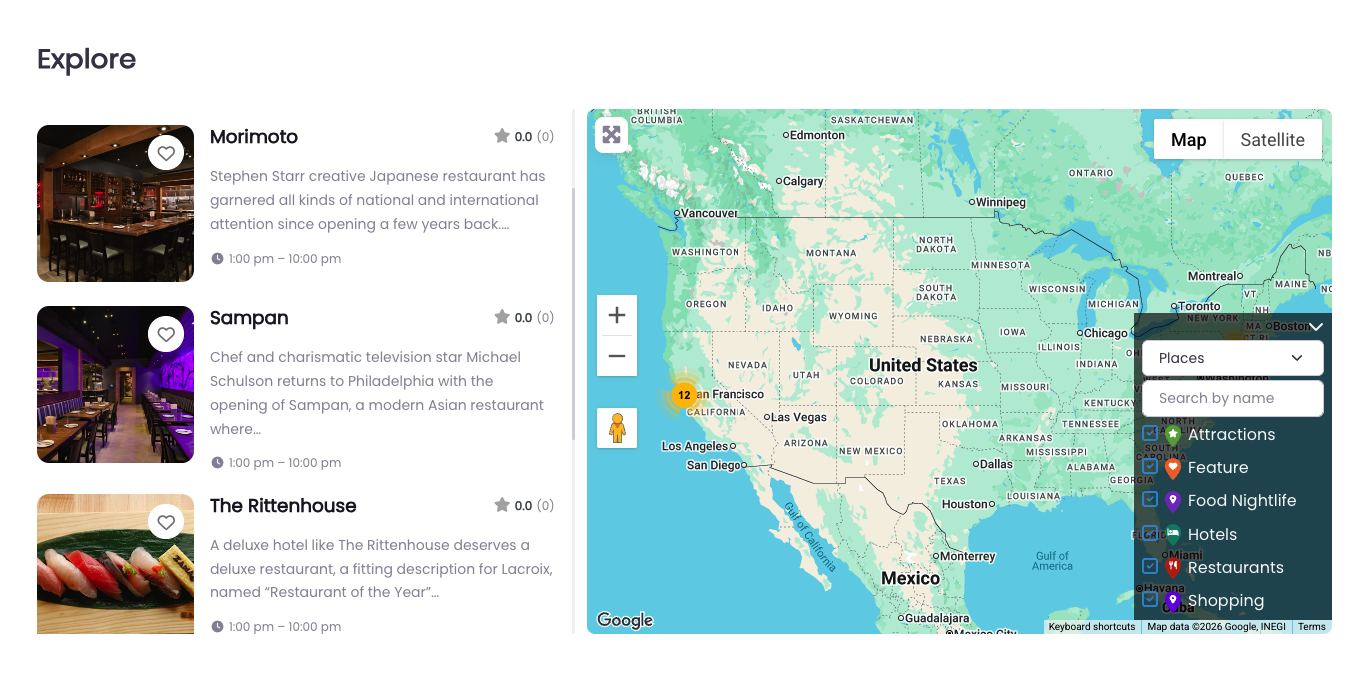
The trade-off is complexity. The backend has a learning curve that even experienced WordPress developers notice – the sheer volume of settings menus can feel overwhelming at first.
And if your directory needs booking functionality for rentals, services, or appointments, GeoDirectory is limited to basic time-slot scheduling through an add-on. Full booking workflows aren’t its strength.
Pricing: $139/yr for one website or $229/yr for unlimited sites. Both tiers include all add-ons, themes, and support.
Best for: Large-scale, map-centric, location-based directories where performance at volume is the priority.
Community trust: 10,000+ active installs, 4.8 stars from 715+ reviews.
HivePress
If budget is the deciding factor, HivePress has the most generous free tier in this market.
The core plugin is free, and so are six extensions that other plugins charge for: geolocation, reviews, private messages, favorites, claim listings, and radius search. That’s a functional directory without spending anything.

When you do need paid features, the pricing model is the real differentiator. Individual extensions run $29–$39 each, but the all-extensions bundle costs $199 one-time – a lifetime single-site license with unlimited updates included. Every other plugin in this comparison charges annually. HivePress doesn’t.
The Bookings extension ($39) also makes it viable for service and rental directories, a use case GeoDirectory can’t match.
From a developer’s perspective, the codebase is clean. HivePress follows MVC architecture and WordPress coding standards, with a Hooks API for customization. The admin interface is the lightest of the four plugins covered here.
⚠️ One gap worth flagging: HivePress hasn’t published performance benchmarks or documentation on how it handles data at scale. If you’re planning a directory with tens of thousands of listings, test thoroughly on staging before committing.
Pricing: Free core with paid extensions at $29–$39 each, or $199 one-time for all seventeen extensions.
Best for: Budget-conscious builders, modern niche directories, and first-time directory owners who want to test before investing.
Community trust: 10,000+ websites, 4.9 stars from 200+ reviews.
Directorist
Directorist is the fastest path from zero to working directory in this roundup.
Its AI setup wizard walks you through configuring a basic directory in minutes – describe what you’re building, and the platform generates the listing structure, categories, and form fields for you. No other plugin in this market offers that.
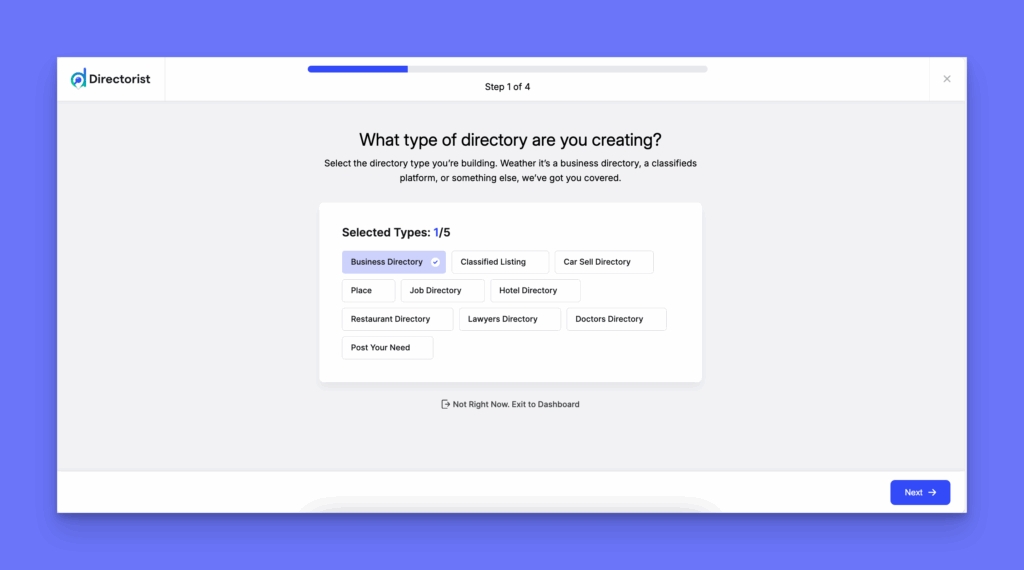
It’s also the only directory plugin with native mobile apps. Built on Flutter, these are installable apps your users can download – not just a responsive theme. Android runs $119/yr, iOS $139/yr, or both for $199/yr.
Where Directorist pulls ahead on monetization: The free tier includes featured listings and basic paid placement, unlike GeoDirectory, which locks all monetization behind a paid membership. The premium tiers also bundle a full booking system covering restaurant reservations, service appointments, event tickets, and rental bookings.
The trade-off is that Directorist uses standard WordPress® tables for data storage, so performance at very high listing volumes depends more on your hosting and caching setup than on the plugin’s architecture.
Pricing: Starter at $129/yr (one site), Pro at $169/yr (five sites), Agency at $219/yr (unlimited). Promotional discounts of 25–45% are common. A lifetime bundle is also available.
Best for: Directories where speed to launch and native mobile app capability matter most.
Community trust: 20,000+ active businesses, 4.6 stars from 680+ reviews.
Business Directory Plugin
Not every directory needs thirty extensions and a Flutter-based mobile app. Sometimes you just need a list of businesses people can search, submit to, and review.
That’s where Business Directory Plugin fits. It has the lightest admin footprint in this comparison, the longest track record, and a setup process that non-developers can handle without writing a single line of code.
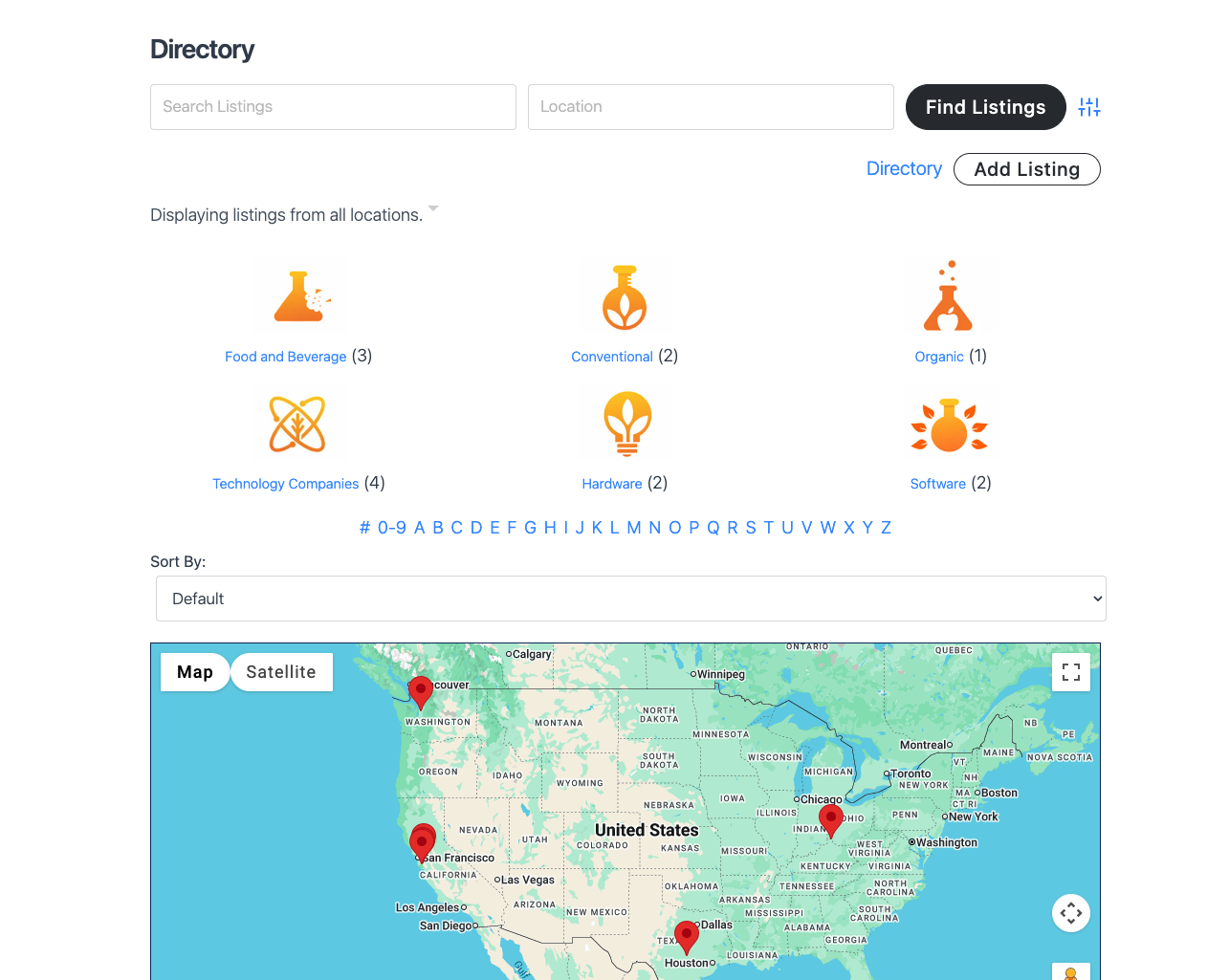
The Basic plan ($99/yr for one site) includes unlimited listings, CSV import and export, a ratings and reviews system, and featured listing support. It’s genuinely usable at that price – something you can’t say about every plugin’s entry tier.
One thing to know before choosing a plan: Google Maps and location-based filtering aren’t available on Basic. If your directory is location-dependent, you’ll need the Pro plan ($149/yr for three sites), which adds map support, Stripe payments, and zip code or city filtering. The Elite plan ($249/yr for twenty-five sites) adds claim listings, priority support, and all directory themes.
Still, there’s no AI wizard, no mobile app, and no booking system. This isn’t the plugin for building the next Yelp.
Best for: Small local directories, church or club member lists, staff directories, and community listings where simplicity matters more than feature depth.
Community trust: 20,000+ users, 4.6 stars from 500+ reviews.
What each directory plugin costs for a real project
Every plugin in this roundup has a free version, but none of them will get you to a revenue-generating directory for free.
Of course, that’s not a criticism – it’s just how the market works. The free tier exists to test the system. Once you need monetization, advanced maps, booking, or premium search filters, you’re paying. The question is how much, and how the costs stack up over time.
Here’s what Year 1 looks like for each plugin at its entry-level paid tier:
| Plugin | Year 1 cost | Pricing model |
|---|---|---|
| Business Directory Plugin | $99 | Annual (one site). Renews at $149. |
| Directorist | $129 | Annual (one site). Frequent 25–45% promotions. Lifetime bundle available. |
| GeoDirectory | $139 | Annual (one site). $229/yr for unlimited sites. |
| HivePress | $199 | One-time (all extensions). Lifetime license, unlimited updates. Extended support extra. |
Those are plugin costs alone. A production-ready directory also needs hosting ($25–$50+/month), a domain (~$13/year), and potentially a premium theme. Realistically, budget $500–$1,000+ for a functional directory in Year 1.
Can you build a directory for free?
For testing and basic non-commercial use, yes. HivePress is the strongest starting point – its free core includes geolocation, reviews, private messaging, favorites, and claim listings. No other plugin gives you that much at zero cost.
But free tiers have real limits. GeoDirectory’s free version can’t charge for listings at all – monetization requires a paid Pricing Manager add-on. And across all four plugins, the features that make a directory commercially viable (paid placements, advanced search, booking) sit behind premium tiers.
Recurring vs. one-time costs
Something worth factoring into longer-term planning: HivePress and Directorist both offer one-time payment options, making them the only two plugins in this group where you can avoid recurring costs entirely. GeoDirectory and Business Directory Plugin are annual-only, and Business Directory Plugin’s renewal prices are higher than its introductory rates.
For context, ACF PRO – which comes into play in the next section – costs $49/yr for one site, $149/yr for up to ten, or $249/yr for unlimited. But that comparison only makes sense when you factor in the developer time required to build what directory plugins give you out of the box.
Supercharge Your Website With Premium Features Using ACF PRO
Speed up your workflow and unlock features to better develop websites using ACF Blocks and Options Pages, with the Flexible Content, Repeater, Clone, Gallery Fields & More.
When directory plugins fall short
The four plugins above cover the majority of directory projects. But there’s a recurring pattern in WordPress developer communities: Experienced builders who’ve tried dedicated directory plugins and found them too rigid for what they actually needed to build.
Dedicated directory plugins make assumptions about what a directory looks like – business listings with addresses, maps, reviews, categories. That works beautifully for a local business portal or a service marketplace, but it quickly breaks down when the project doesn’t match those assumptions.
A few situations where developers consistently hit walls:
- Non-standard data models. A language school directory, donor database, product spec library, or internal staff directory doesn’t map cleanly onto a “business listing” template. Forcing it into one creates workarounds that compound over time.
- Data relationships that the plugin can’t model. When listings need to relate to each other, to users, or to taxonomy structures the plugin wasn’t designed for, you end up fighting the tool instead of building with it.
- Version-controlled deployments. Agencies managing directories across staging, development, and production environments need field definitions in code, not locked in a plugin’s database. No dedicated directory plugin offers that workflow.
- Unpredictable cost exposure. The freemium extension model means you often don’t know the real cost of your directory until you’re deep into the build and discover the feature you need is behind another $39/year add-on.
The ACF + custom post types alternative
Ask WordPress®-focused developer communities what they’d use instead of a dedicated directory plugin, and the answer comes up consistently: Build the data model with custom post types and Advanced Custom Fields (ACF®).
To explain simply, ACF is a content modeling framework. It gives developers complete control over the data structure, and they build the directory functionality on top of it.
The developer experience advantages are real:
- The data model is defined in code, not locked inside a plugin’s schema. Custom post types, taxonomies, and field groups are all registered from ACF’s admin UI and exportable as PHP.
- Field definitions are version-controlled via Local JSON. ACF saves field groups, post types, and taxonomies as
.jsonfiles that commit to Git and sync across environments. No directory plugin offers this. - Flat, predictable pricing. ACF PRO costs $49/yr for one site, $149/yr for ten, or $249/yr for unlimited – with no extension upsell catalog.
- Thirty-plus field types for any niche. Repeater fields for opening hours or multiple team members, Relationship fields for linking listings to taxonomies, Gallery fields for image-heavy entries, Google Maps for location data.
What ACF doesn’t do
ACF does not include frontend submission forms, monetization, proximity search, built-in search or filtering interfaces, or booking. Every one of those features requires custom development or additional plugins.
Things that directory plugins handle out of the box (listing subscriptions and payment expirations, map clustering at scale, claim-listing workflows, business hours with live open/closed status) become weeks or months of development time when you’re building from scratch.
There’s also the scalability question. ACF stores field data in WordPress®’s wp_postmeta table by default. For small-to-medium directories, that’s fine but it can’t turn into a challenge for directories with tens of thousands of listings and complex faceted filtering. Current best practice for high-volume ACF directories is to use taxonomies for heavily filtered data, or extend with indexed custom tables for the most query-intensive fields.
For a step-by-step walkthrough of the custom-build approach, see our post on how to build a WordPress directory website from scratch.
Which is the right tool for your directory project?
Making this choice is simpler than it might seem:
- Need a working, monetized directory with minimal code? Use a directory plugin. That’s what they’re built for.
- Need a directory where you own every aspect of the data model and have the developer capacity to build the rest? ACF is the foundation to build on.
Overall, the best directory plugin is the one that matches your project’s actual constraints – not the one with the longest feature list.
| If your directory needs… | Use |
|---|---|
| Large-scale, map-centric listings | GeoDirectory |
| Budget-friendly first build | HivePress |
| Fastest launch + mobile app | Directorist |
| Simple local/community listings | Business Directory Plugin |
| Built-in booking (rentals, services) | Listeo theme |
| Non-standard data model, full developer control | ACF PRO + custom post types |
For developers in that last category: start with the Post Types and Taxonomies documentation to register your listing CPT and taxonomy, then build your field groups from there. ACF PRO’s content modeling toolkit handles the data layer – you bring the templates, search, and frontend logic.
Supercharge Your Website With Premium Features Using ACF PRO
Speed up your workflow and unlock features to better develop websites using ACF Blocks and Options Pages, with the Flexible Content, Repeater, Clone, Gallery Fields & More.
FAQs about WordPress directory plugins
Can any directory plugin handle tens of thousands of listings?
GeoDirectory is the only plugin in this roundup architecturally built for that scale. It uses custom database tables instead of WordPress®’s wp_postmeta, which avoids the performance bottleneck that hits when filtering across multiple custom fields at high volume.
Directorist uses standard WordPress tables, so its performance at scale depends heavily on hosting quality and caching configuration.
For developers building with ACF, the same wp_postmeta limitation applies. High-volume directories that rely on complex faceted filtering through WordPress meta queries will hit scalability limits. Current best practice is to use taxonomies for heavily filtered data, or extend the architecture with indexed custom tables or a dedicated filtering layer like FacetWP.
Do you need a directory theme, a plugin, or both?
If you’re using a plugin-based solution (GeoDirectory, HivePress, Directorist, or Business Directory Plugin), pair it with any theme you like – these plugins are theme-agnostic.
Listeo is the exception. It’s a theme, not a plugin, so the directory functionality and design are one package. The upside is tight integration and built-in booking. The downside is lock-in: switching themes later means rebuilding the directory.
Developers taking the custom-build approach with ACF PRO and custom post types have no theme dependency at all. For a deeper look at directory themes and the theme-vs-plugin decision, see how to build a WordPress directory website from scratch.
What’s the easiest directory plugin for a basic small business listing site?
Business Directory Plugin. No-code setup, the lightest admin interface in this comparison, and the $99/yr introductory plan includes unlimited listings with ratings and CSV import.
For fully free internal directories – staff lists, church databases, club member directories – Connections Business Directory is worth a look. It’s open-source, has a 4.9/5 rating, and serves over 12,800 customers.
Do any directory plugins offer native mobile apps?
Directorist is the only one. Its Flutter-based native apps are available for Android ($119/yr), iOS ($139/yr), or both ($199/yr). These are installable apps, not just responsive mobile themes.
Every other plugin in this roundup relies on your theme’s mobile responsiveness for the mobile experience.



For plugin support, please contact our support team directly, as comments aren't actively monitored.