
Description
The Repeater field provides a neat solution for repeating content – think slides, team members, CTA tiles and alike.
This field type acts as a parent to a set of sub fields which can be repeated again and again. What makes this field type so special is its versatility. Any kind of field can be used within a Repeater, and there are no limits to the number of repeats either (👨💻 unless defined in the field settings).
Screenshots
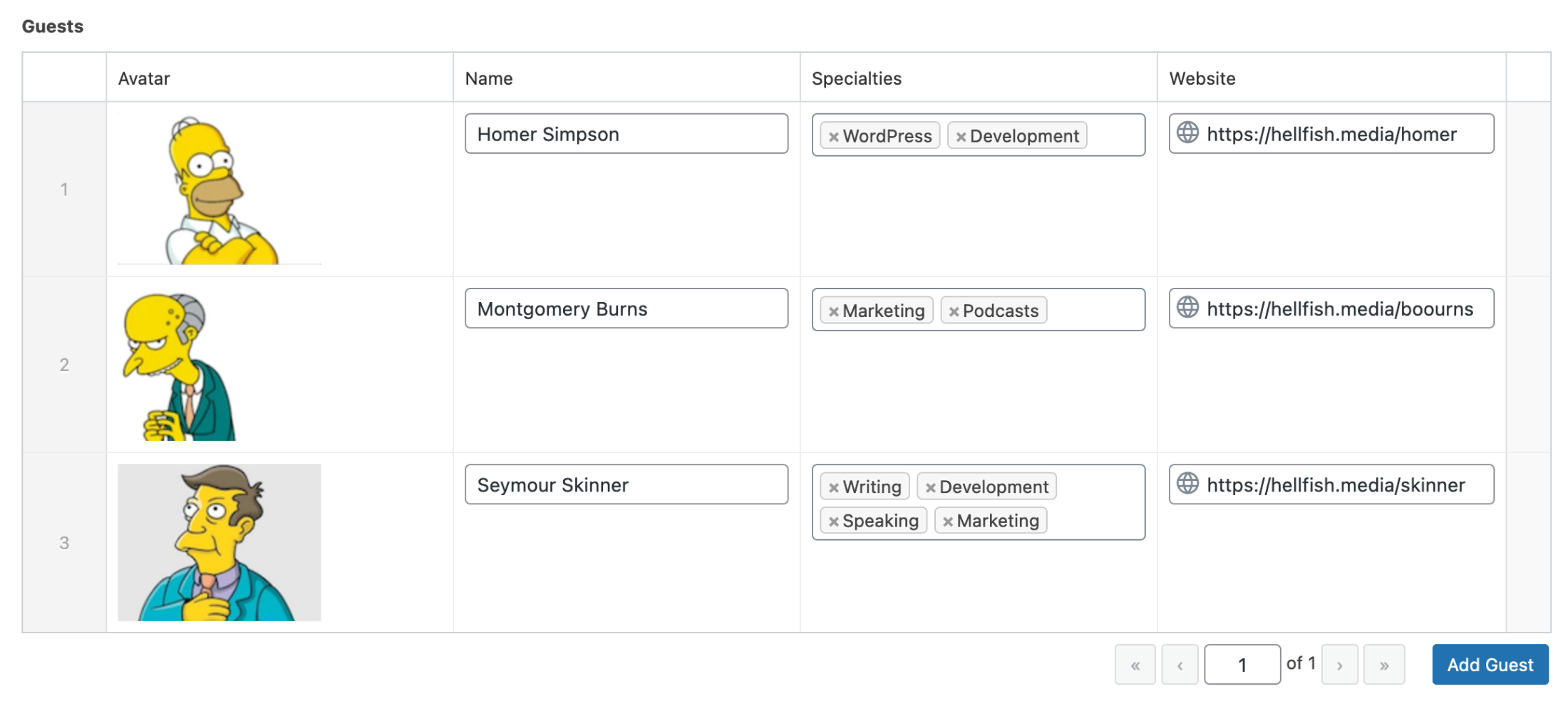
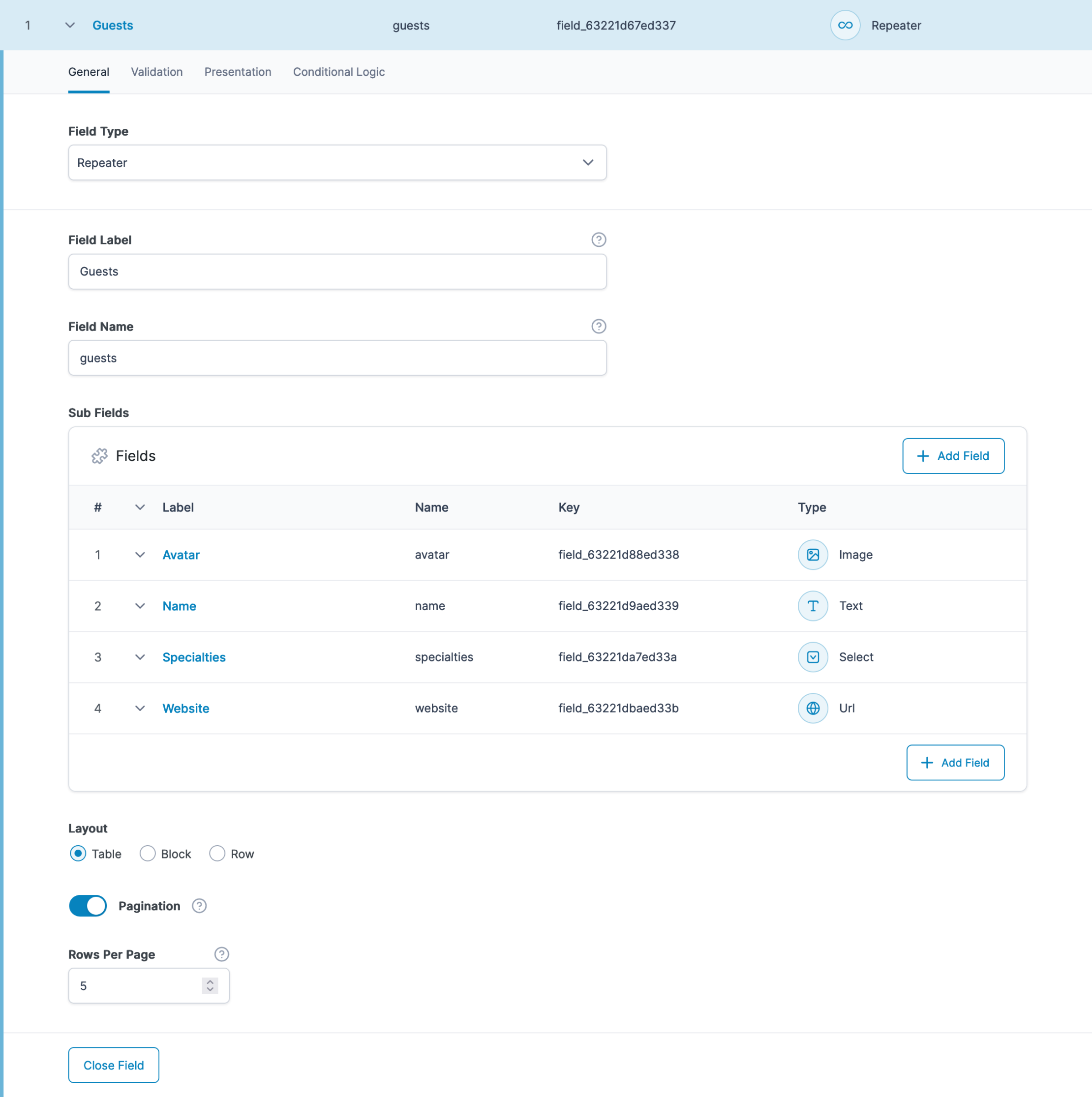
Settings
Sub Fields
Defines the set of repeatable sub fields.Collapsed
Enables each row to be collapsed by specifying a single sub field to display.Minimum Rows
Sets a limit on how many rows of data are required.Maximum Rows
Sets a limit on how many rows of data are allowed.Layout
Defines the layout style of the appearance of the sub fields.
Table: Sub fields are displayed in a table. Labels will appear in the table header.
Block: Sub fields are displayed in blocks, one after the other.
Row: Sub fields are displayed in a two column table. Labels will appear in the first column.Button Label
The text shown in the ‘Add Row’ button.Pagination
Added in ACF 6.0. Defines if the repeater should only load a set number of rows per page when editing the repeater in the admin. If disabled (which it is by default), all rows will be loaded at once. This setting does not affect template usage or results returned via the REST API. Note: This setting is not currently supported inside flexible content and other repeater fields. In these cases, this setting will not be shown.Rows per page
Added in ACF 6.0. Sets the number of rows that are displayed on a page if the “Pagination” setting is enabled.
Template usage
The Repeater field will return an array of rows, where each row is an array containing sub field values.
For the best developer experience, we created some extra functions specifically for looping over rows and accessing sub field values. These are the have_rows, the_row, get_sub_field, and the_sub_field functions.
Basic loop
This example demonstrates how to loop through a Repeater field and load a sub field value.
<?php

// Check rows exists.
if( have_rows('repeater_field_name') ):

    // Loop through rows.
    while( have_rows('repeater_field_name') ) : the_row();

        // Load sub field value.
        $sub_value = get_sub_field('sub_field');
        // Do something, but make sure you escape the value if outputting directly...

    // End loop.
    endwhile;

// No value.
else :
    // Do something...
endif;
Display a slider
This example demonstrates how to loop through a Repeater field and generate the HTML for a basic image slider.
<?php if( have_rows('slides') ): ?>
    <ul class="slides">
    <?php while( have_rows('slides') ): the_row();
        $image = get_sub_field('image');
        ?>
        <li>
            <?php echo wp_get_attachment_image( $image, 'full' ); ?>
            <p><?php echo acf_esc_html( get_sub_field('caption') ); ?></p>
        </li>
    <?php endwhile; ?>
    </ul>
<?php endif; ?>
Foreach Loop
This example demonstrates how you can manually loop over a Repeater field value using a foreach loop.
<?php
$rows = get_field('repeater_field_name');
if( $rows ) {
    echo '<ul class="slides">';
    foreach( $rows as $row ) {
        $image = $row['image'];
        echo '<li>';
            echo wp_get_attachment_image( $image, 'full' );
            echo wp_kses_post( wpautop( $row['caption'] ) );
        echo '</li>';
    }
    echo '</ul>';
}
Nested loops
This example demonstrates how to loop through a nested Repeater field and load a sub-sub field value.
<?php
/**
 * Field Structure:
 *
 * - parent_repeater (Repeater)
 *   - parent_title (Text)
 *   - child_repeater (Repeater)
 *     - child_title (Text)
 */
if( have_rows('parent_repeater') ):
    while( have_rows('parent_repeater') ) : the_row();

        // Get parent value.
        $parent_title = get_sub_field('parent_title');

        // Loop over sub repeater rows.
        if( have_rows('child_repeater') ):
            while( have_rows('child_repeater') ) : the_row();

                // Get sub value.
                $child_title = get_sub_field('child_title');

            endwhile;
        endif;
    endwhile;
endif;
Accessing first row values
This example demonstrates how to load a sub field value from the first row of a Repeater field.
<?php
$rows = get_field('repeater_field_name' );
if( $rows ) {
    $first_row = $rows[0];
    $first_row_title = $first_row['title'];
    // Do something...
}
You may also use the break statement within a have_rows() loop to step out at any time.
<?php
if( have_rows('repeater_field_name') ) {
    while( have_rows('repeater_field_name') ) {
        the_row();
        $first_row_title = get_sub_field('title');
        // Do something...
        break;
    }
}
Accessing random row values
This example demonstrates how to load a sub field value from a random row of a Repeater field.
<?php
$rows = get_field('repeater_field_name' );
if( $rows ) {
    $index = array_rand( $rows );
    $rand_row = $rows[ $index ];
    $rand_row_title = $rand_row['title'];
    // Do something...
}
Editing a repeater
Working with the repeater field is relatively straightforward – you just need to click the “Add Row” button to add a new row and edit the values of the subfields that are shown.
But there are a few tips and tricks that can make working with repeaters much easier.
Pagination
The new “Pagination” setting introduced in ACF 6.0 helps with large repeaters by reducing the number of rows that are rendered at once, potentially avoiding browser crashes and PHP errors that might occur during repeater load or save.
However, there are a few scenarios where pagination isn’t supported. The pagination setting won’t be shown for repeater fields inside other repeaters or flexible content fields. This is something that we hope to address in a near-future release.
Pagination won’t work for frontend forms – if the pagination setting is enabled, the repeater will operate like a repeater with pagination disabled when viewed in a frontend form. However, pagination should still work for the same repeater when viewed through the WordPress admin.
Also, pagination does not currently work inside of ACF blocks. That may change in the future, but pagination won’t be able to provide much of a performance benefit in ACF blocks due to the way that blocks store all data in the post content and DOM.
Adding, inserting, and duplicating rows
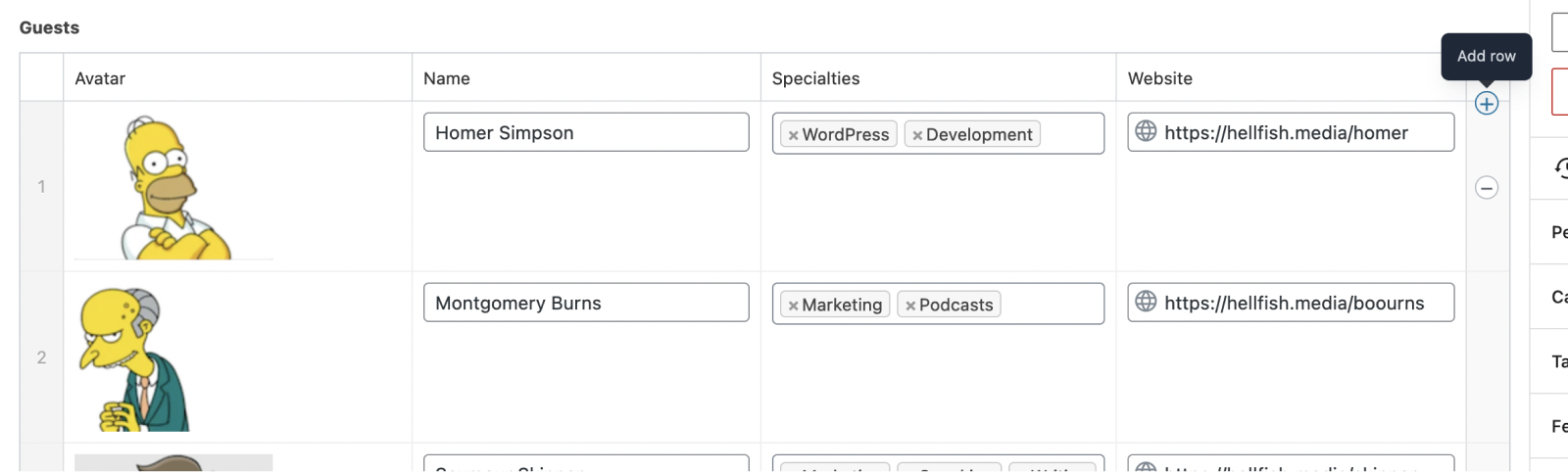
In addition to adding rows via the “Add Rows” button, you can also insert rows by hovering over a row and clicking the “+” / “Add Row” icon that appears in the far right of the row:
If you hold the “Shift” key on your keyboard before clicking that icon, it will change to an icon that lets you duplicate the row:
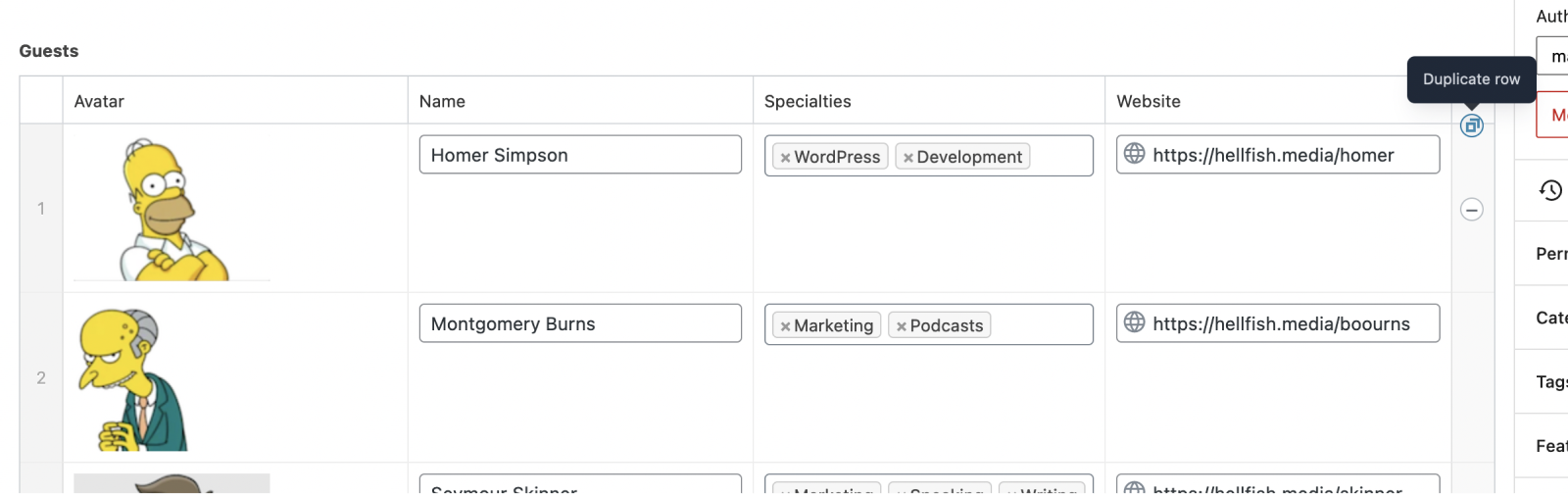
If the row has been inserted, it will appear above the row that you were hovering over previously. If you instead duplicate the row, a new row will appear below the row you were hovering over, with the same values.
If pagination is enabled, rows that were inserted or duplicated won’t display a row number until the changes have been saved.
Reordering rows
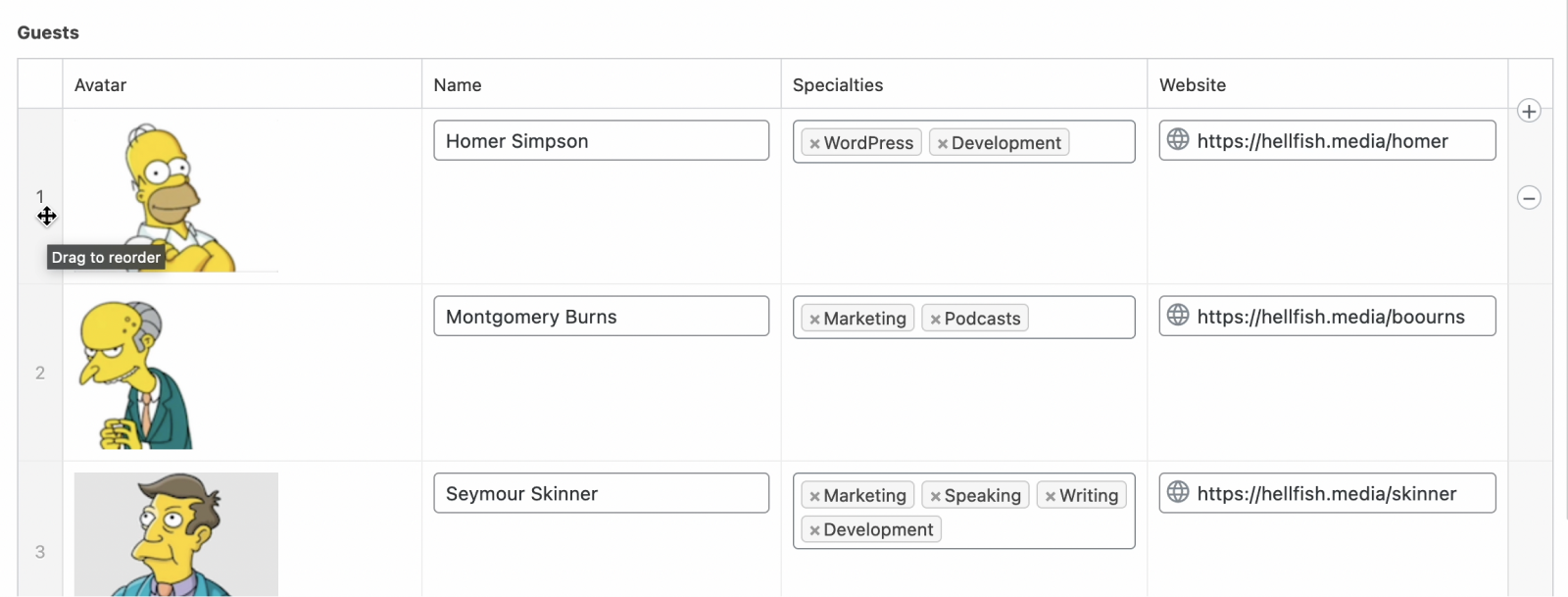
Rows can be reordered in repeaters regardless of the “Pagination” setting. If pagination is disabled, you can hover over the row number on the left hand side and a drag and drop icon will appear.
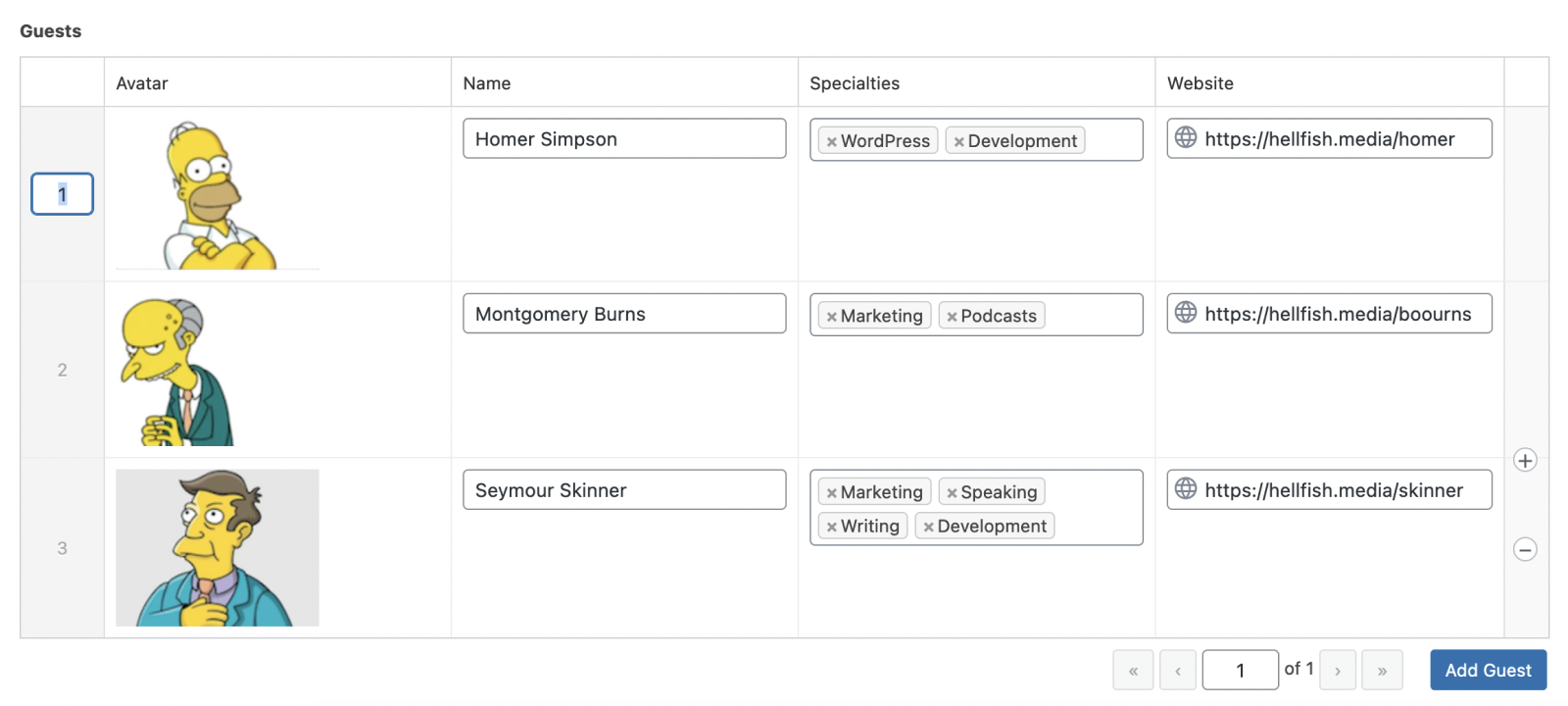
If pagination is enabled, you can instead click the row number to reveal a number input. Once you enter a row number and save the page, the row will be moved to the new position.
Supercharge Your Website With Premium Features Using ACF PRO
Speed up your workflow and unlock features to better develop websites using ACF Blocks and Options Pages, with the Flexible Content, Repeater, Clone, Gallery Fields & More.
Related
- Guides: How to Use the Repeater Field
- Field Types: Flexible Content
- Functions: add_sub_row()
- Functions: update_row()
- Functions: get_sub_field()
